Billing Types
The billing type determines how a work package is billed to the customer or client.
The billing type determines how a work package is billed to the customer or client. In Octaved Flow, a project is divided into work packages. A billing type is assigned to each work package. This means that a single project can contain work packages with different billing types.
Simple and Advanced Mode
You can switch between simple and advanced mode using the 3-dot menu.
- In advanced mode, you can select the types of effort targets or billing types.
- In simple mode: If no hours are entered as a target, the billing type is No target for effort. If a number is entered, the billing type is Effort with approx.
Billing Types
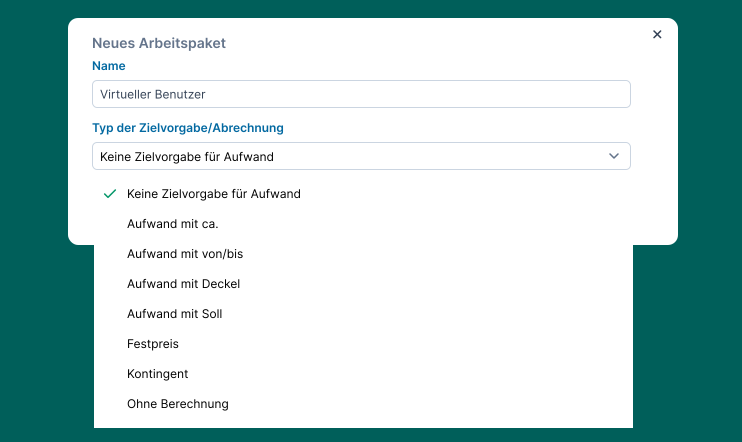
“No Target for Effort”
- Resource Planning: Work packages of this type are not taken into account in resource planning.
- Billing to Customers: The actual effort incurred is billed. Time tracking is possible without any limits.
“Effort with Approx.”
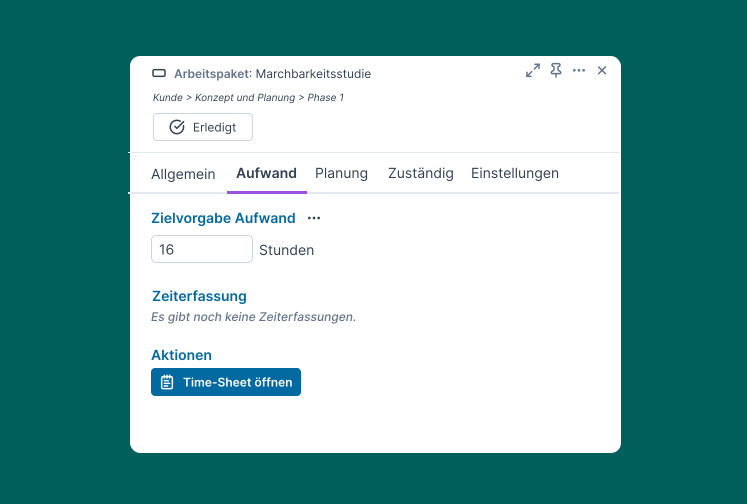
- The target in hours must be entered.
- Resource planning: The target is used to calculate capacity utilization. This also applies to the other targets/billing types with “Effort”.
- Billing to customers: The actual effort incurred is billed.
“Effort with from/to”
- Same as “Estimated Effort”
- Resource Planning: The value entered in the “To” field is used.
- The value in the ‘From’ field is for informational purposes only, to show what was agreed upon with the customer.
“Effort with Cap”
- Time can only be tracked up to the target target.
- Billing to customers: The actual time and effort incurred is billed.
“Time and effort with target”
- A target has been agreed upon with the customer, which must be strictly adhered to.
- This occurs, for example, in consulting, IT services, and research projects.
- Billing to customers: The actual time and effort incurred is billed.
“Fixed Price”
- The actual hours worked are irrelevant to the customer, as they pay a fixed price.
- If more hours are needed, that’s your loss. If fewer hours are needed, you make extra profit.
- Billing: Does not appear in timesheets
- Resource Planning: The entered target (hours) is used.
“Quota”
- The idea is that the customer pays for the quota in advance.
- This is then used up until it is exhausted.
- Billing: Appears in timesheets so the customer can monitor it.
“No Billing”
- For example, for business development, so that an analysis of the total effort for the project is possible
- The behavior when recording time and regarding resources is the same as for “Effort with approx.”
- Billing: Does not appear in timesheets
Recommended Use
Only resource planning is used
- Recommended: Effort with approx.
- The other billing types in the “Effort” section function identically in terms of resource planning.
- Do not use: No target for effort, fixed price, quota
Resource planning plus time tracking for internal analysis/controlling
- Recommended: Effort with approx.
- Effort with cap: Useful when effort for specific topics needs to be limited from the outset
Billing to Customer
- Use as agreed with the customer
- All known business cases can be mapped using the billing types (see above)
- Enable advanced mode
Project Plan and Board Only
- Use Octaved Flow without resource planning, without controlling, without billing; use only for project plan and board
- Always use: No target for effort
Special case: Changing the target for effort or billing types
If the target for effort or the billing type is changed retroactively, bars may turn red and warning flags may appear. The same applies if the target hours are reduced retroactively.