Invite team members to Octaved Flow
Quick introduction to adding team members to your Octaved Flow environment.
Brief explanation of user types
-
Standard users have access to the full range of Octaved Flow features.
-
Virtual users cannot log in to Octaved Flow. They are used, for example, for resource planning for employees who do not need access to Octaved Flow.
Easily add team members

- Select the Users menu item in the settings
- Click on New User
- Select the desired user type:
- Standard User
- Virtual user
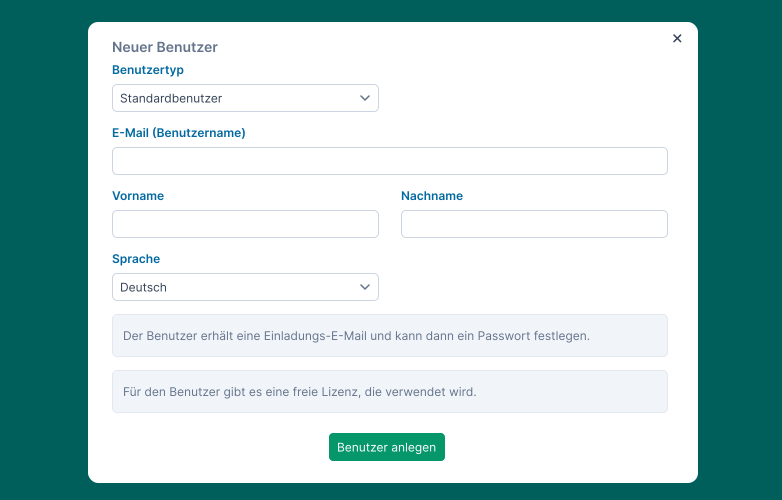
Standard user
- Select Standard user
- Enter the email address of the team member you want to invite to Octaved Flow
- Click on Invite user. The team member will then receive an email to set a password.
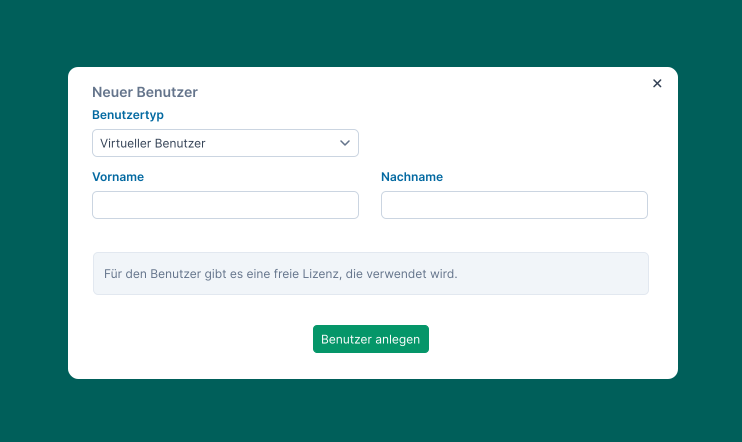
Virtual User
- Select Virtual User
- Enter the first and last name for the virtual user
- Click Create User
Problems with inviting team members
Team members register via the website
If team members register directly on the website instead of using the link in their email inbox, they will not become part of your environment but will create their own. Even if this is only intended for initial testing, it will not be possible to merge the two environments later on.
Email not received
Check your spam folders and make sure the email address is correct.