Calculate the critical path
Using the critical path, you can quickly identify which work packages are essential for completing a project.
The critical path helps you quickly identify which work packages are essential to the completion of your project. This feature highlights the sequence of work packages that has the greatest impact on the project's success.
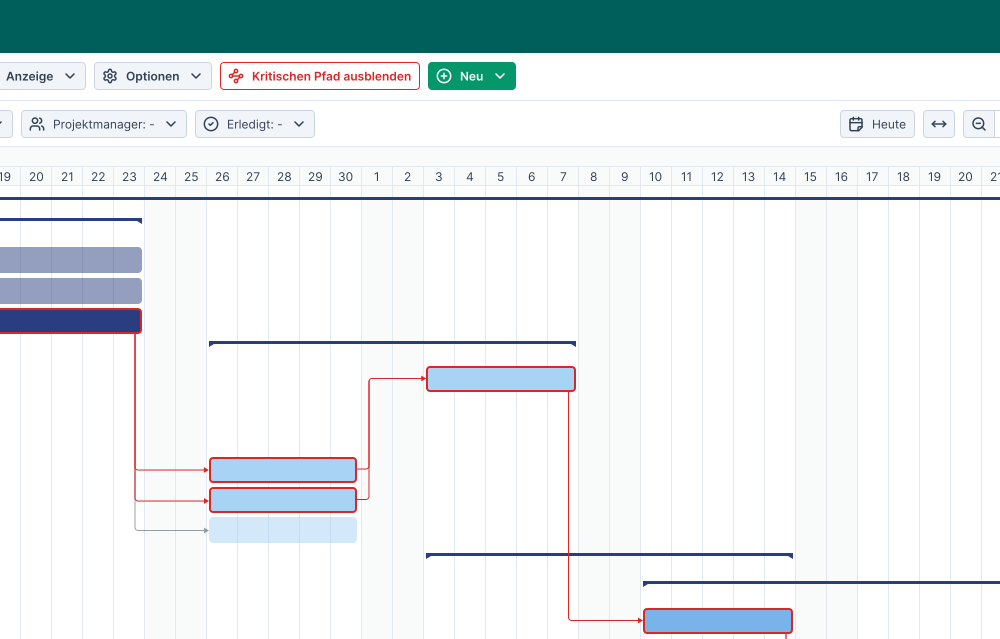
Calculating the Critical Path
The critical path identifies the longest chain of dependent work packages within a project that are essential for project completion. This allows you to see at a glance which work packages have the highest priority and where the greatest risk of delays lies.
Example: Suppose work package A has two dependencies: work package B and work package C. Only work package C has another dependency, namely work package D. In this case, the critical path shows the chain A → C → D, since a delay along this chain affects the entire remainder of the project. Work package B, on the other hand, has no further dependencies. A delay there does not affect the rest of the project, which is why it is not part of the critical path.
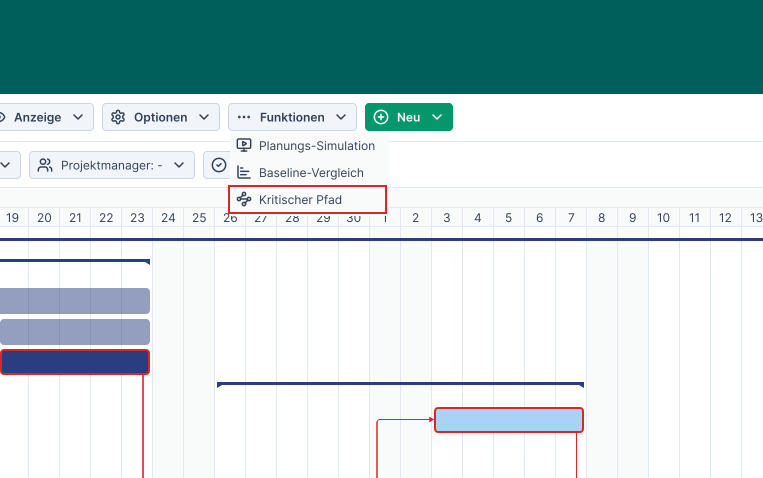
Once the critical path is activated, all work packages on the critical path are highlighted in red. This allows you to see at a glance which work packages could delay project completion.
Using the Critical Path in Planning
Use the critical path in conjunction with other project management functions to assess your project risks from various perspectives. This allows you to optimize project planning so that the project can be executed without delays.