Financial Planning
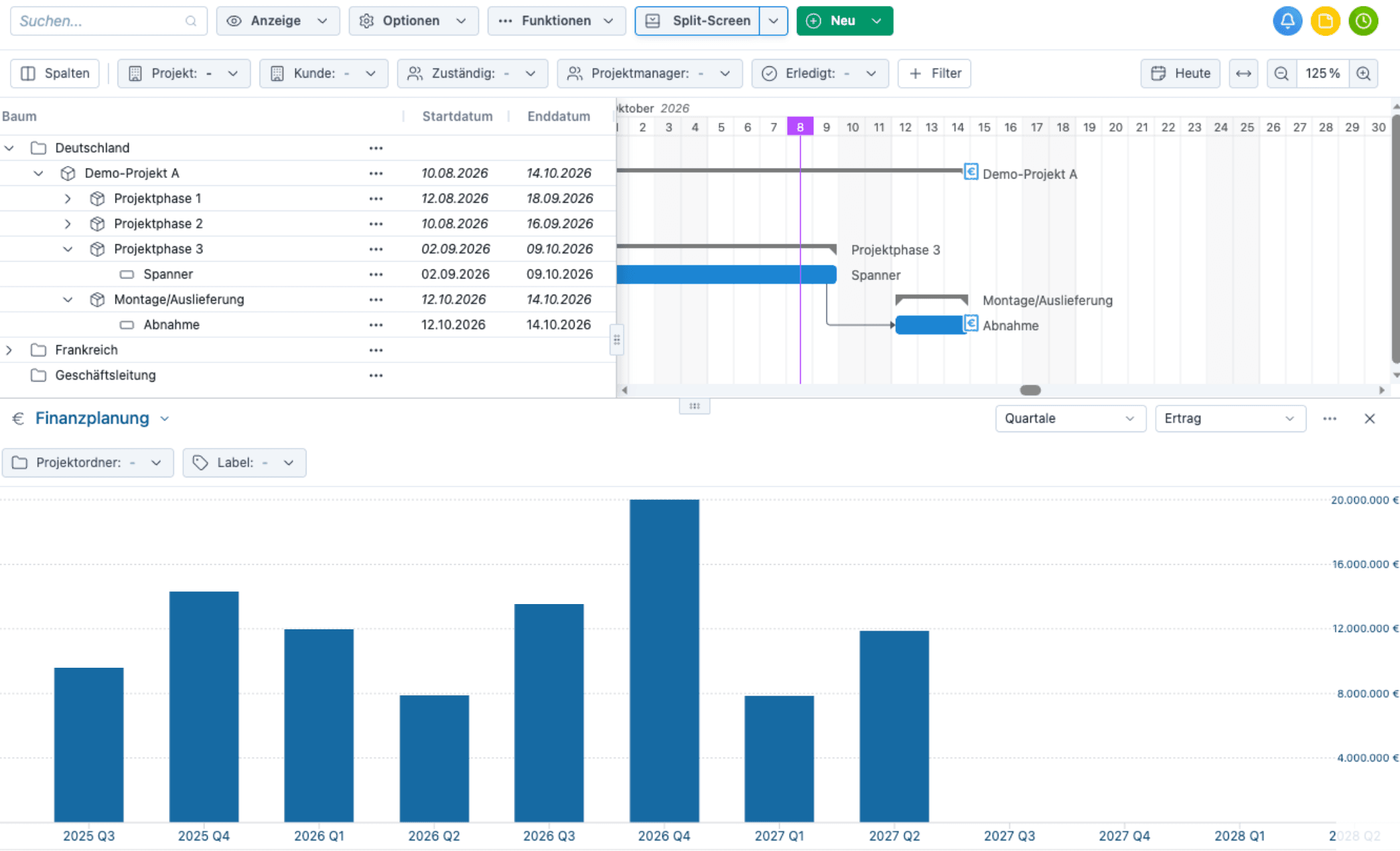
For many projects, revenue and cash flow have traditionally been planned separately from project planning, usually in Excel. If a deadline is pushed back, the financial plan often no longer adds up. With the new financial planning feature in Octaved Flow, revenue and incoming payments are directly linked to the milestones in the project plan. This makes it clear at any time when specific revenue will be recognized and when specific payments are expected, across all projects.
Financial Planning in Split-Screen Mode
What's New?
- In project planning, you can now open a split screen with financial planning that displays revenue or cash flow over time.
- If a deadline in the project plan changes, this is immediately visible in financial planning as well.
- A guide line displays a freely selectable target value, such as the planned revenue per quarter.
- Requirements include the Business License, a Standard User License, and the "Open Split Screen Financial Planning" permission role.
Here’s how
- In Project Planning, click Split Screen and select Financial Planning.
- In the upper-right corner of the Financial Planning section, choose between Revenue and Liquidity, as well as between Months, Quarters, and Years.
- In the three-dot menu next to it, you can set the target values via Show Guide Line.
Payment Milestones
What's New?
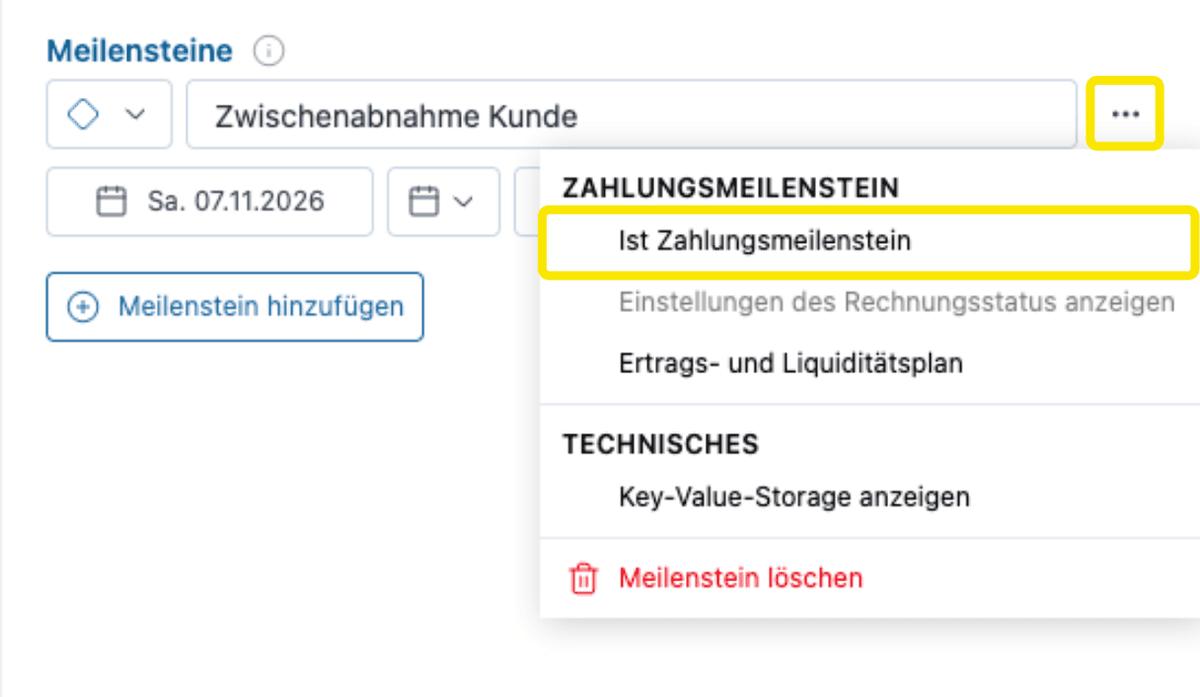
- Milestones can now be marked as payment milestones, for example, for a down payment, a delivery, or acceptance.
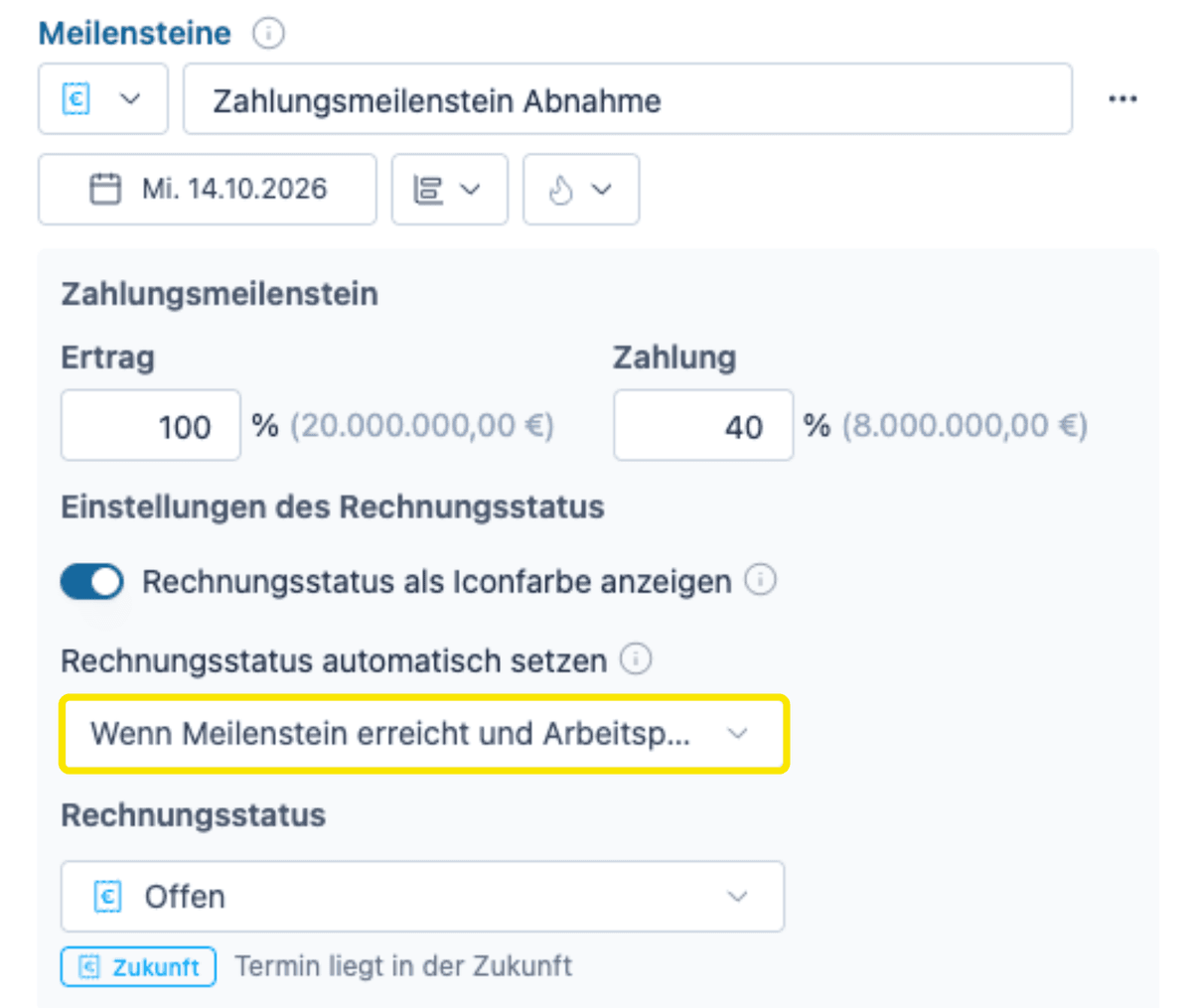
- For each payment milestone, you can specify what percentage of the order value is recognized as revenue and what percentage is due as payment.
- Revenue and payments can be planned independently of each other, for example, if a down payment is received before the actual revenue is recognized.
- Octaved Flow automatically converts the percentages into amounts.
- Payment milestones are directly incorporated into financial planning. If a milestone is postponed, the revenue or payment is also postponed.
- The revenue and cash flow plan displays all payment milestones for a project sorted by date, each with its percentage, amount, and cumulative amount.
- If the percentages do not add up to 100%, the total is highlighted in red so that gaps in the plan are immediately noticeable.
Here’s how to do it
- Enter the contract value in the project view under Settings -> Financial.
- Open the three-dot menu for the milestone and select Payment Milestone.
- Enter the percentage in both the Revenue and Payment fields.
- The Revenue and Cash Flow Plan can also be opened via the three-dot menu for payment milestones.
Invoice Status
What's New?
- The color of payment milestones now indicates the invoice status, ranging from Future to Billable to Paid.
- The status can change automatically, be set manually, or be imported via API from the invoicing or ERP system.
Here’s how it works
- In the payment milestone menu, open Show Invoice Status Settings and enable Show Invoice Status.
- Under Set Invoice Status Automatically, select one of the three options.
- When milestone is reached: The invoice status changes from Open to Billable on the day of the milestone.
- When milestone is reached and work package is complete: The invoice status changes from Open to Billable on the day of the milestone if the work package is complete. If the work package is not complete, it changes from Open to Pending Approval.
- Do not set automatically: The invoice status remains Open until it is manually set to another status or set via the API.
Further improvements
- Work package milestones can now also be displayed within the subproject and project brackets.
- The height of the split screen can now be adjusted. This applies to all functions in the split screen.
Area charts for workload
What's New?
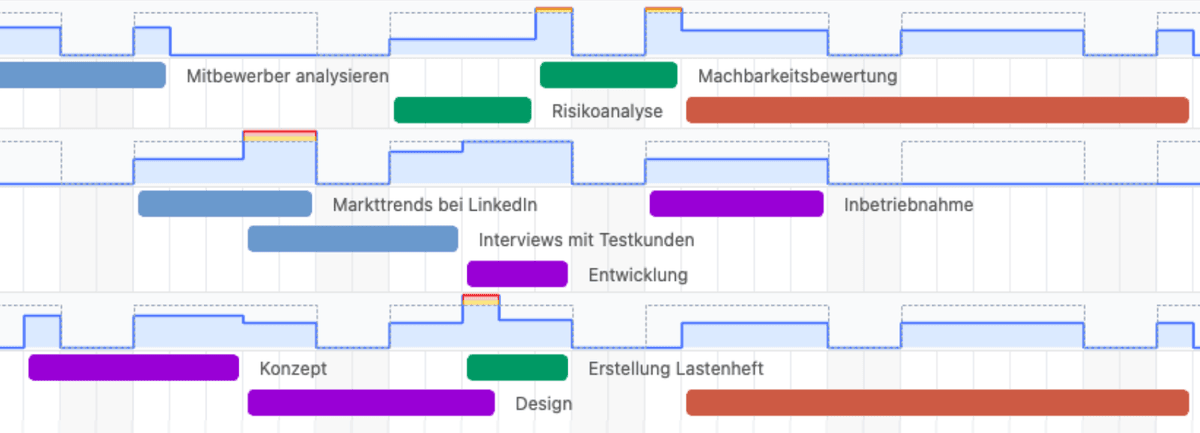
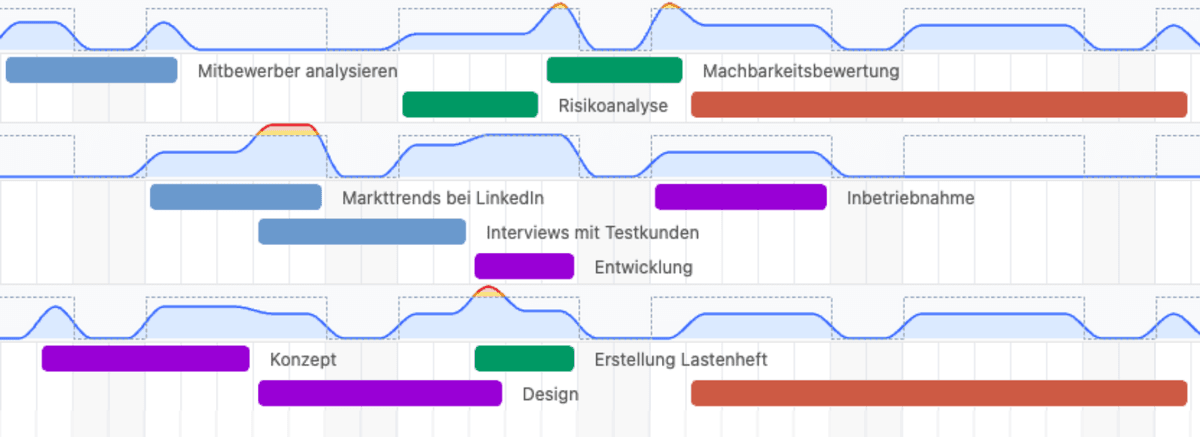
- In Team Planning, workload is now displayed as an area chart by default instead of a bar chart.
- This makes the planning view much cleaner, especially when there are many people and groups involved or when zoomed out, and gaps in workload are easier to spot.
- You can choose between Area Soft, Smoothed, Area Chart, Steps, and Bars.
- In case of overload, only the portion of the area that exceeds the capacity limit is highlighted in color.
Here’s how
- Click Display, then select a view under Workload indicator.
- To switch back to the familiar view, select Bar there.
Logical AND and OR for Label Filters
What's New?
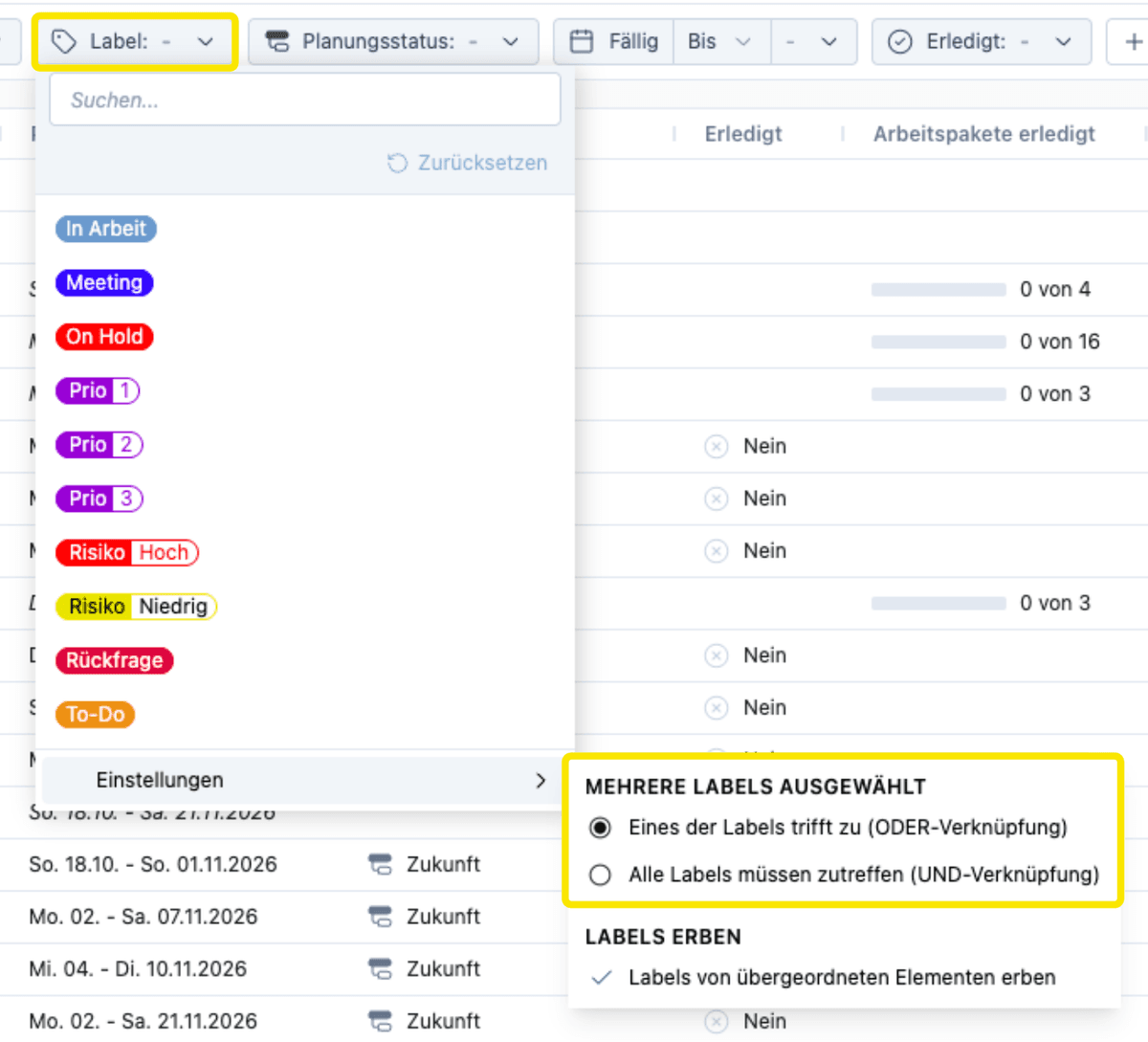
- If multiple labels are selected in the label filter, you can now specify whether one of the labels or all of them must apply.
- OR matches, for example, Prio 1 or Prio 2, while AND matches work packages that are On Hold and also belong to Revenue Q3 2026.
- The default remains the OR operator, so existing filters will behave as before.
Here’s how it works
- In the label filter, under “Multiple labels selected,” choose between One of the labels applies (OR operator) and All labels must apply (AND operator).
Logical NOT filter for labels
What's New?
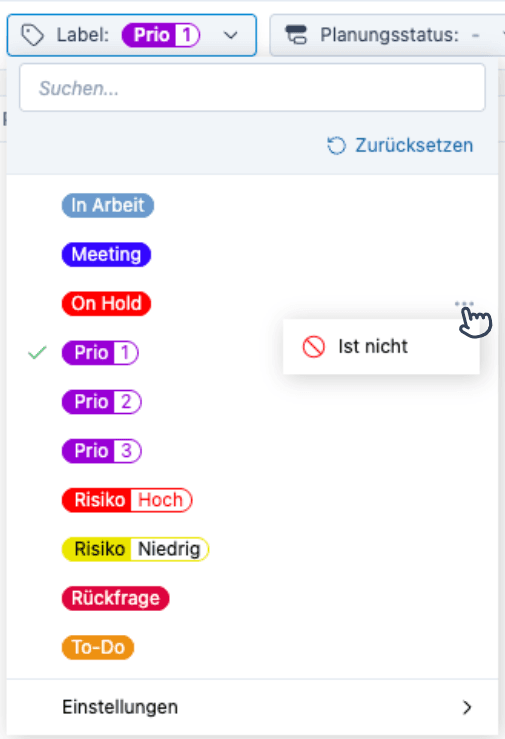
- The label filter now has a NOT option that lets you specifically exclude entries with certain labels.
Here's how
- In the label filter, click the three dots next to the desired label, then select Not.
- Example: Prio-1 and not On Hold.
Removed
- The separate Label is not filter, since the NOT option is now located directly in the label filter.
Inheritance of Labels
What's New?
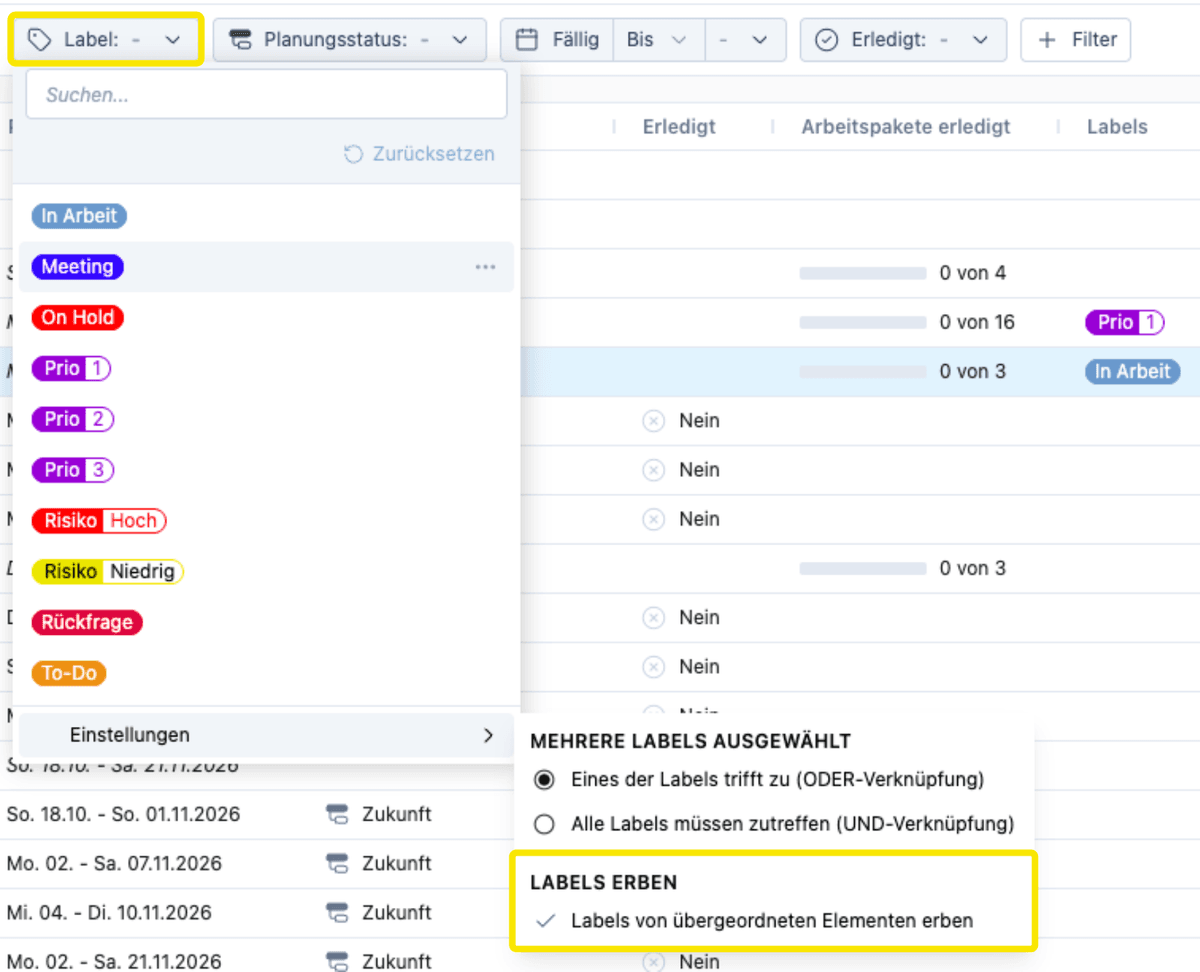
- Labels from higher-level categories—such as the project—can now also be displayed for subprojects, work packages, and tasks, and included in filters.
- In the table, inherited labels are displayed in a slightly lighter shade to distinguish them from labels assigned directly.
- In Team Planning, the label filter can optionally include inherited labels.
- Both options are turned off by default.
Here’s how
- In the label filter, go to Settings and, under Inherit Labels, select Inherit labels.
Header, Footer, and Logo in PDF Export
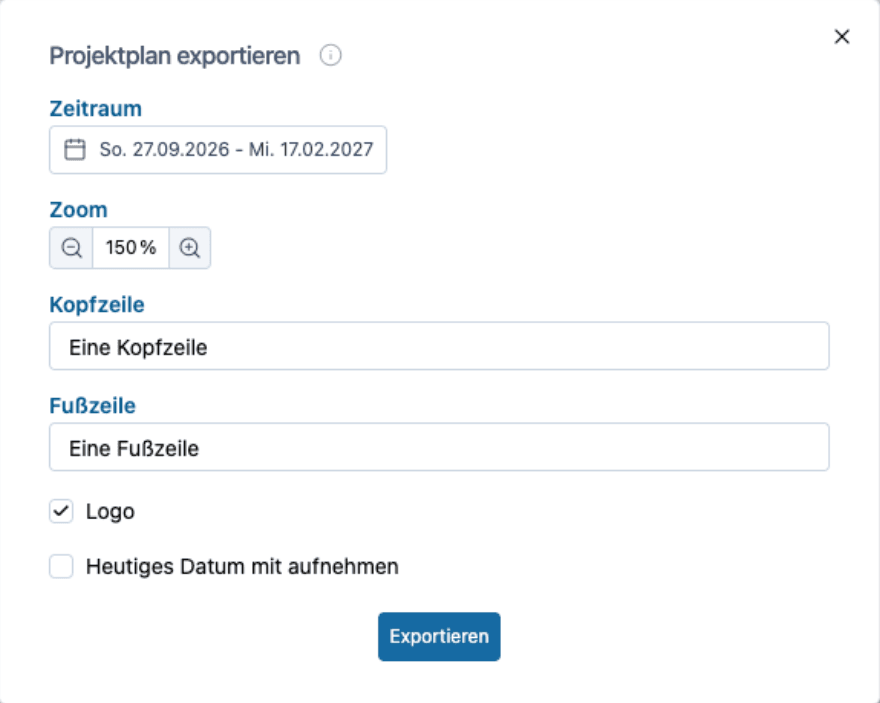
What's New?
- When exporting the project plan as a PDF, you can now add a header, a footer, and the organization's logo.
- The header and footer are saved and do not need to be re-entered the next time you export.
- The logo is included in the export by default, provided one has been uploaded.
Here’s how
- In the project plan’s export dialog, fill in the header and footer and enable the logo.
- Upload the logo in Settings under General. PNG, JPG, and SVG are supported; SVG provides the best quality.
Further improvements
- The project number now has its own field, can be displayed as a column in the table, is included in text searches, and can be linked to an external system such as an ERP.
- The planning period can now also be displayed in calendar weeks, for example, Calendar Weeks 14–16.
Structured Table in My Work
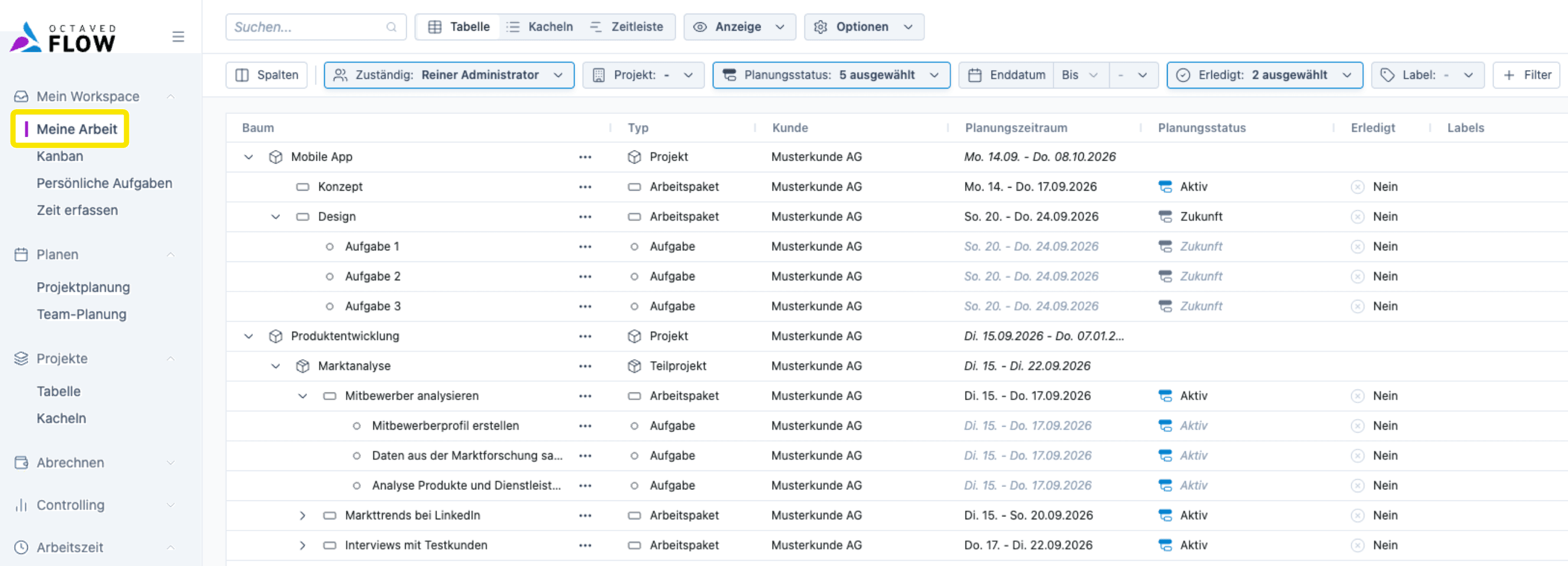
What's New?
- In My Work, the tile view has been replaced with a structured table view that includes filters.
- The filters will now apply to all views, and the view selector is now located below the filters.
- The menu item is now called My Work, and the view selector now shows Table instead of Tiles.
- You can also switch the table from a tree view to a flat table view.
- Additionally, there is now a Timeline view.
Here’s how
- In the main menu under My Work at the top, switch between Table, Tiles, and Timeline.
- For the flat table, go to Display and change the table type from Tree Table to Flat Table.
This has been removed
- Tile view without tasks
New "Views" feature in My Work
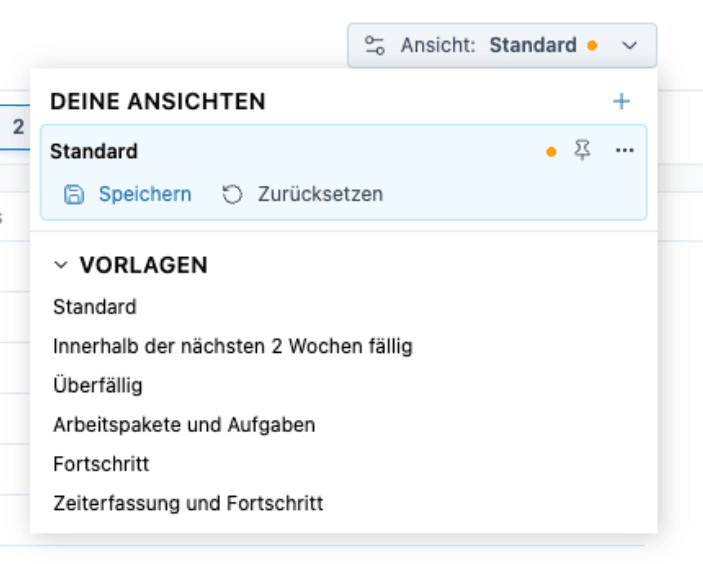
What's New?
- You can now create and manage your own views in My Work.
- There are six predefined views for quick selection: Standard, "Due within the next 2 weeks," "Overdue," "Work Packages and Tasks" "Progress," and "Time Tracking and Progress."
Here's how it works
- Select the desired view using the view toggle.
Filters are now also available for Personal Tasks
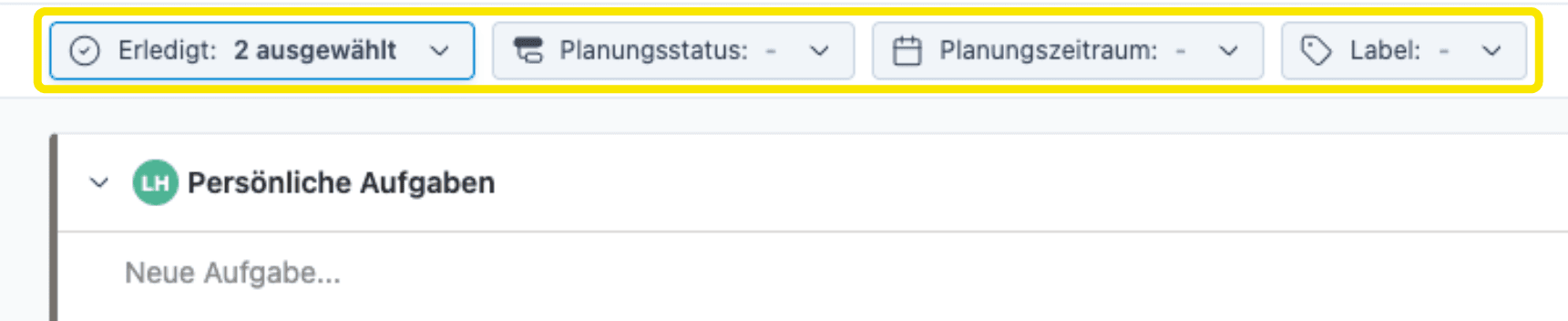
What's New?
- Personal Tasks now have the same filter options as elsewhere in Octaved Flow.
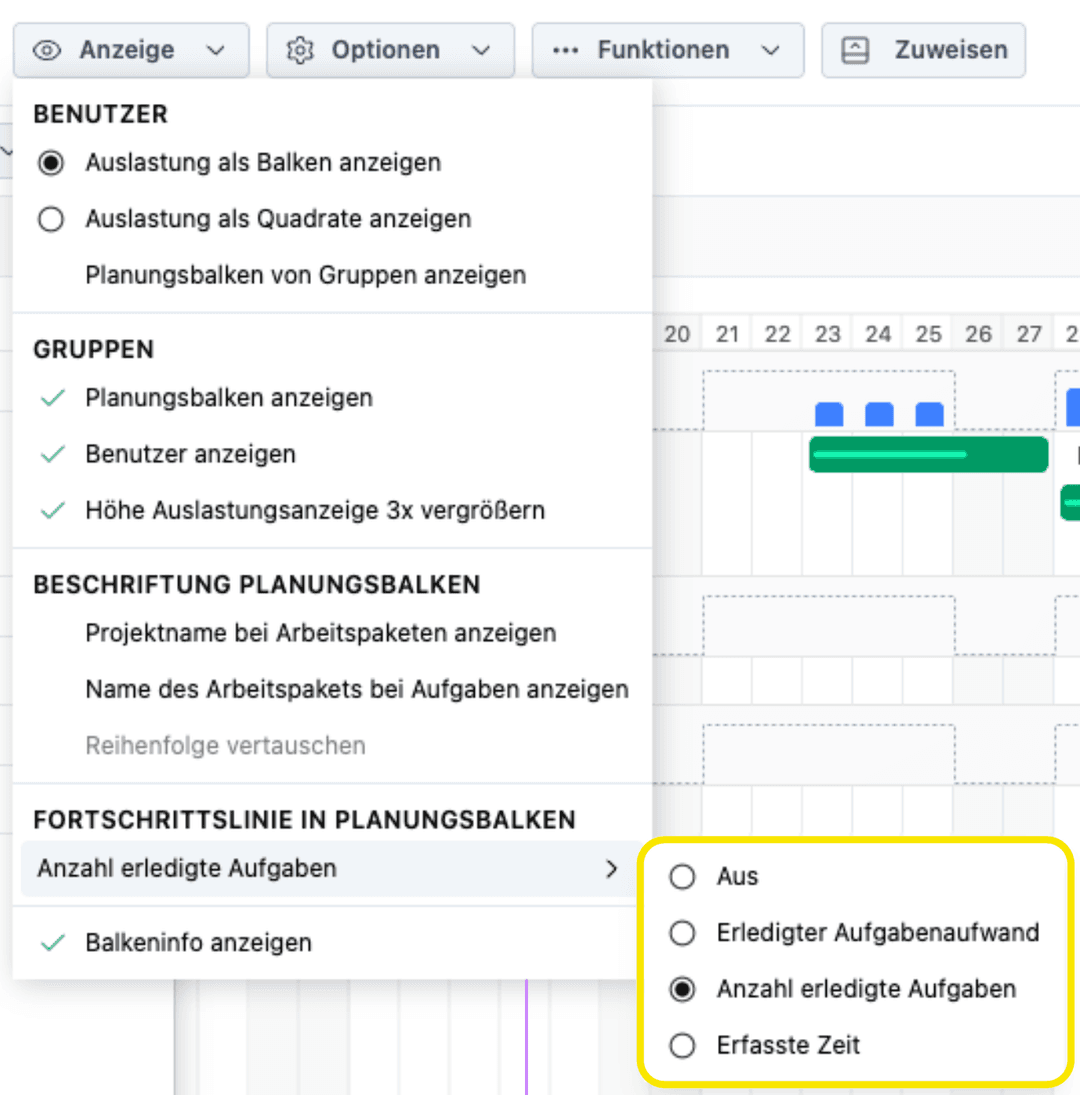
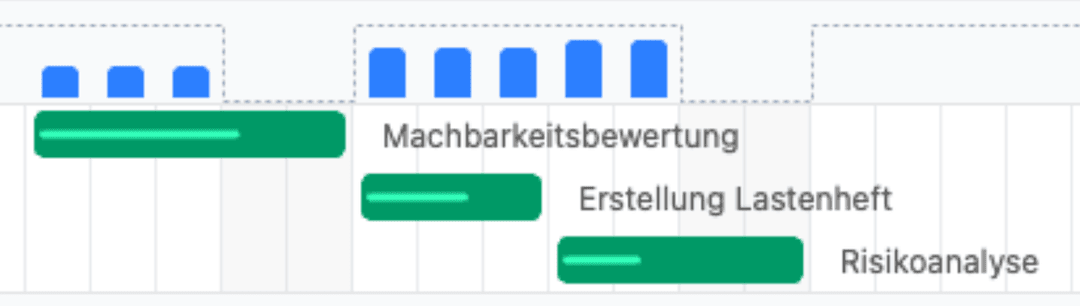
Progress Line in the Planning Bar
What's New?
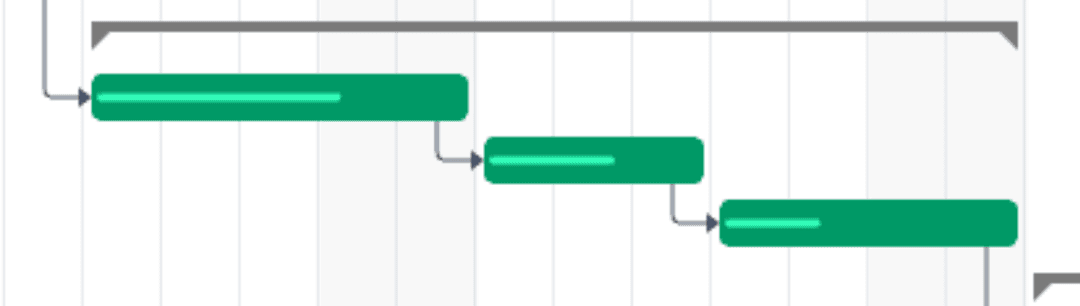
- In project and team planning, a progress line now appears directly on the planning bar to show how much of a work package has been completed.
- The length of the line relative to the bar makes progress visible at a glance.
- This is especially handy when combined with the daily line: If progress doesn't reach the daily line, you can immediately see that you're falling behind.
Here’s how it works
- Click View, then under Progress Line in the Work Bar, choose between "Off," "Completed Task Effort," "Number of Completed Tasks," and "Time Logged."
Group-Based Permissions for Responsible Persons and Team Planning
What's New?
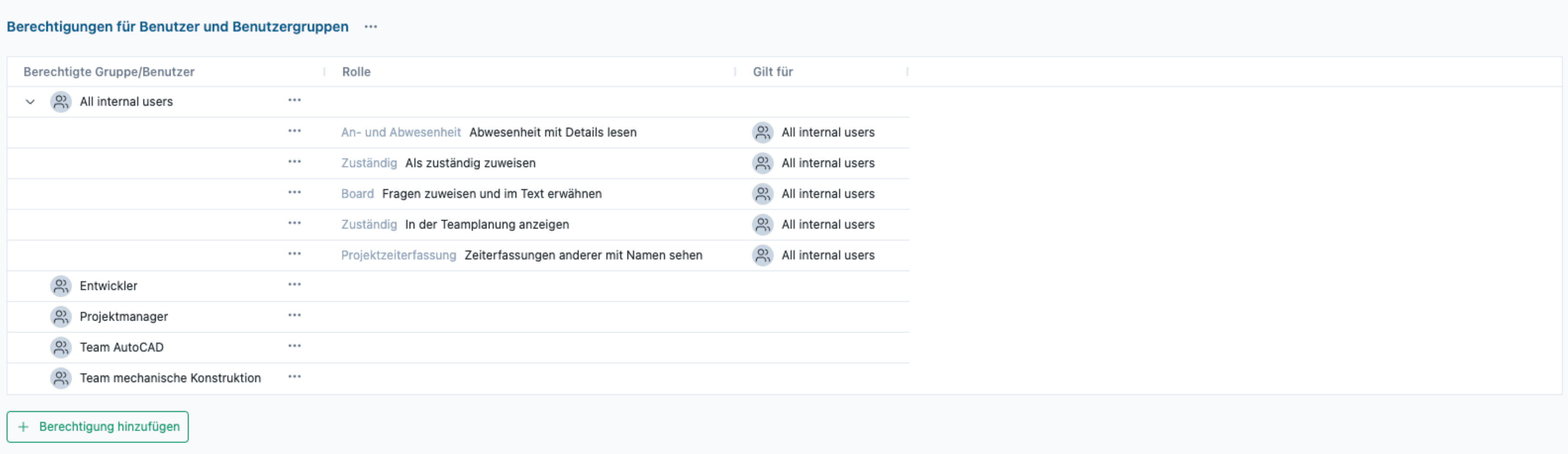
- There are now two dedicated, group-based permission roles: "Assign as Responsible" and "Show in Team Planning."
- This allows you to control which users appear in the "Responsible" selection or in Team Planning, which is useful for larger companies with multiple subsidiaries that want to keep their divisions separate.
- By default, both roles are still assigned to "All internal users," so nothing changes initially.
- If desired, you can now restrict visibility specifically to individual user groups.
Here’s how
- In Settings, go to More → Permissions → Permissions for Users and User Groups to configure and add permissions.
Break up groups when filtering
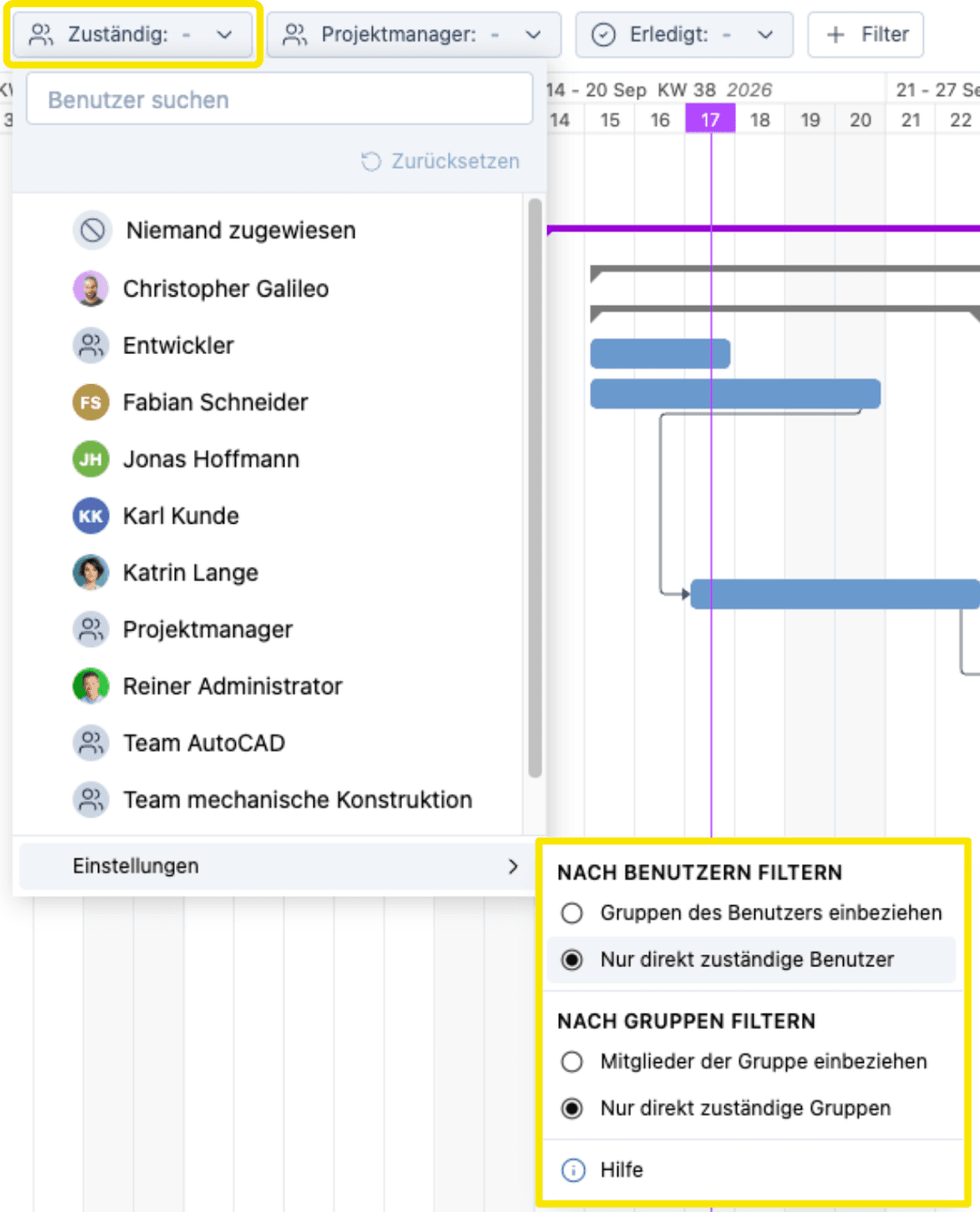
What's New?
- For Filter by Users and Filter by Groups, you can now specify whether group members should be included or only those directly responsible.
- Nested groups are also expanded in this process.
Here’s how
- In the filter settings for Filter by Users or Filter by Groups, choose between the two options.
Further Improvements
- New Help Center on the Octaved Flow website with more detailed help articles, linked directly from the app.
- The user interface for the default view of the view templates has been improved.
- Filter, column, and view settings have been streamlined and made clearer.
- The workload info pop-up now opens even for days further in the future.
Drag & Drop Without a Toggle Button in Team Planning
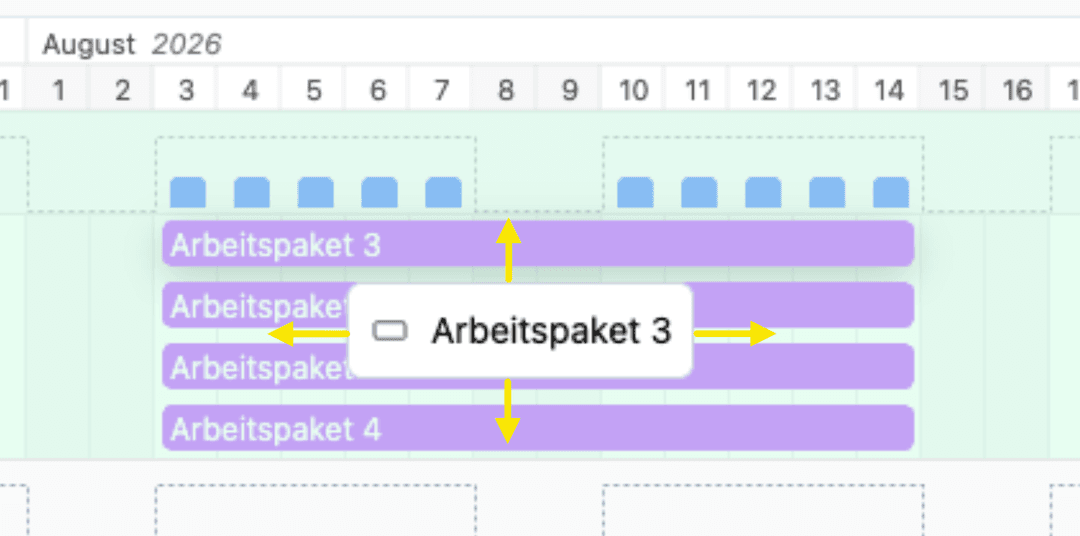
What's New?
- Previously, you had to use a toggle switch to specify the direction in which a planning bar would be moved: horizontally for a time shift and vertically for a change in the person in charge.
- The toggle switch is no longer needed.
Here's how
- Simply drag the planning bar in the desired direction with your mouse.
Improved performance and adjustable zoom level in team planning
What's New?
- The new technical platform renders the planning bars faster.
- This improvement is particularly noticeable when dealing with many projects, larger teams, numerous installers, and long planning periods.
- In addition, you can now adjust the zoom level of the planning bars using the mouse wheel.
Here’s how
- Hold down the Ctrl key and scroll the mouse wheel to adjust the zoom level.
Views and filters can be sorted
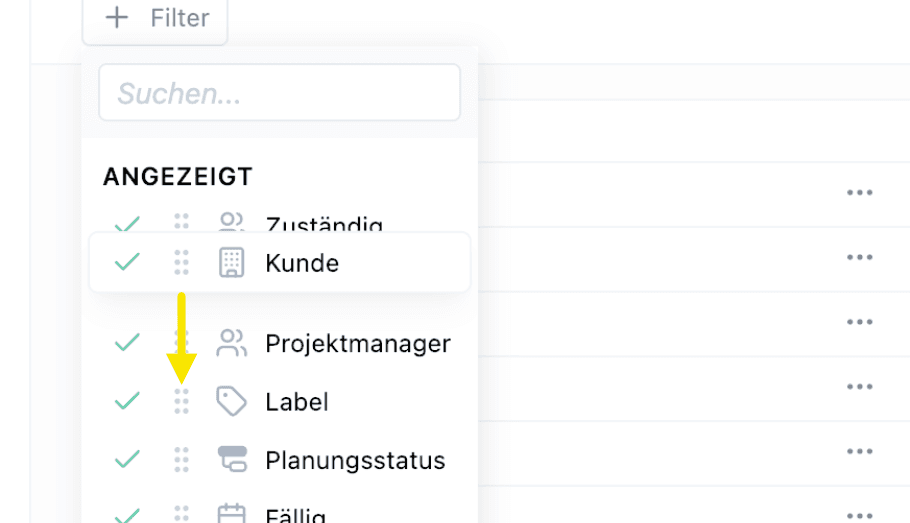
What's New?
- You can now customize the order of views.
- You can also sort filters individually.
- Both features are available wherever views or filters are used.
Here's how
- Open the menu and drag it by the gray area using your mouse.
Quickly Hide Table Columns
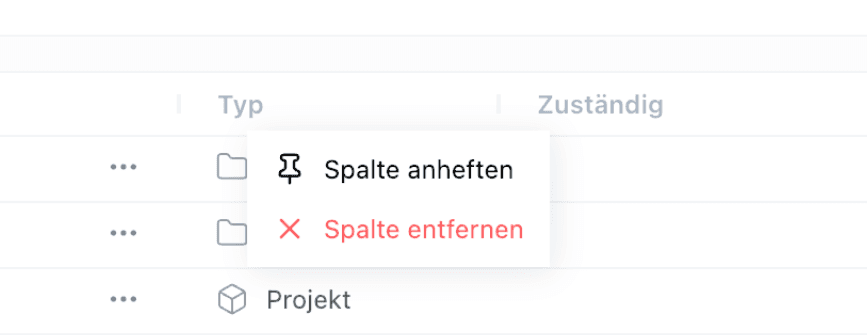
What's New?
- You can now hide a table column by right-clicking on it, eliminating the need to use the “Columns” button.
- When moving a column using drag-and-drop, the new position is now displayed more clearly as a preview.
Here’s how
- Right-click on the header of the table column to hide it.
- Drag a column to the desired position. The preview shows you where it will end up.
New table column “Project Name”
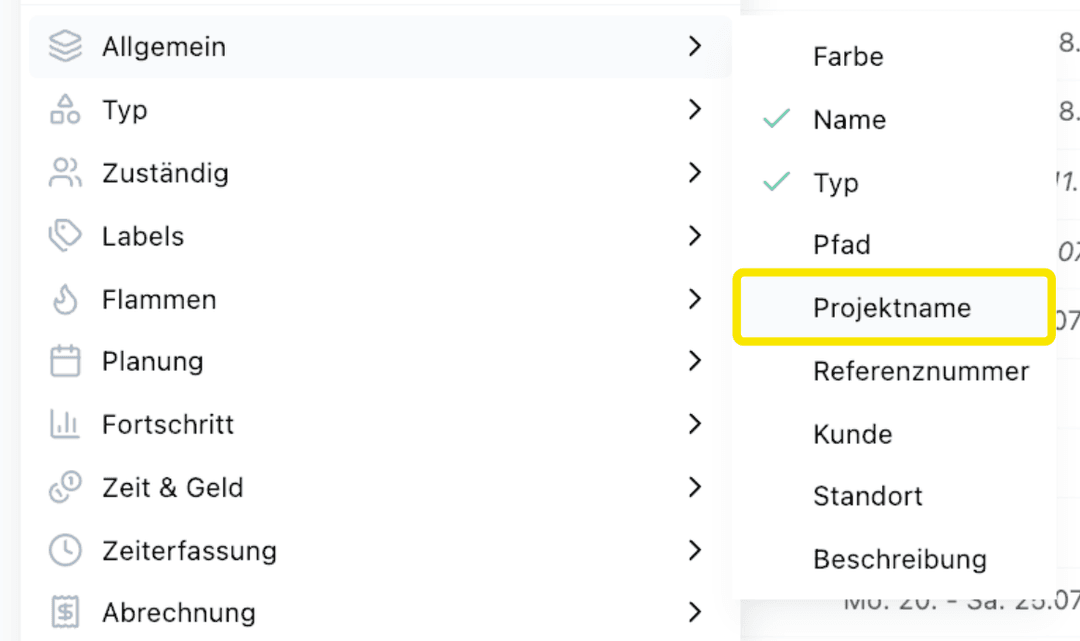
What's New?
- Previously, the project name was only visible as part of the path. Now it also appears in its own column, which is especially helpful in the flat table.
Further improvements
- A component error in project planning that occurred when a deactivated user was assigned to an assembly work package has been fixed.
Create tasks directly from Excel
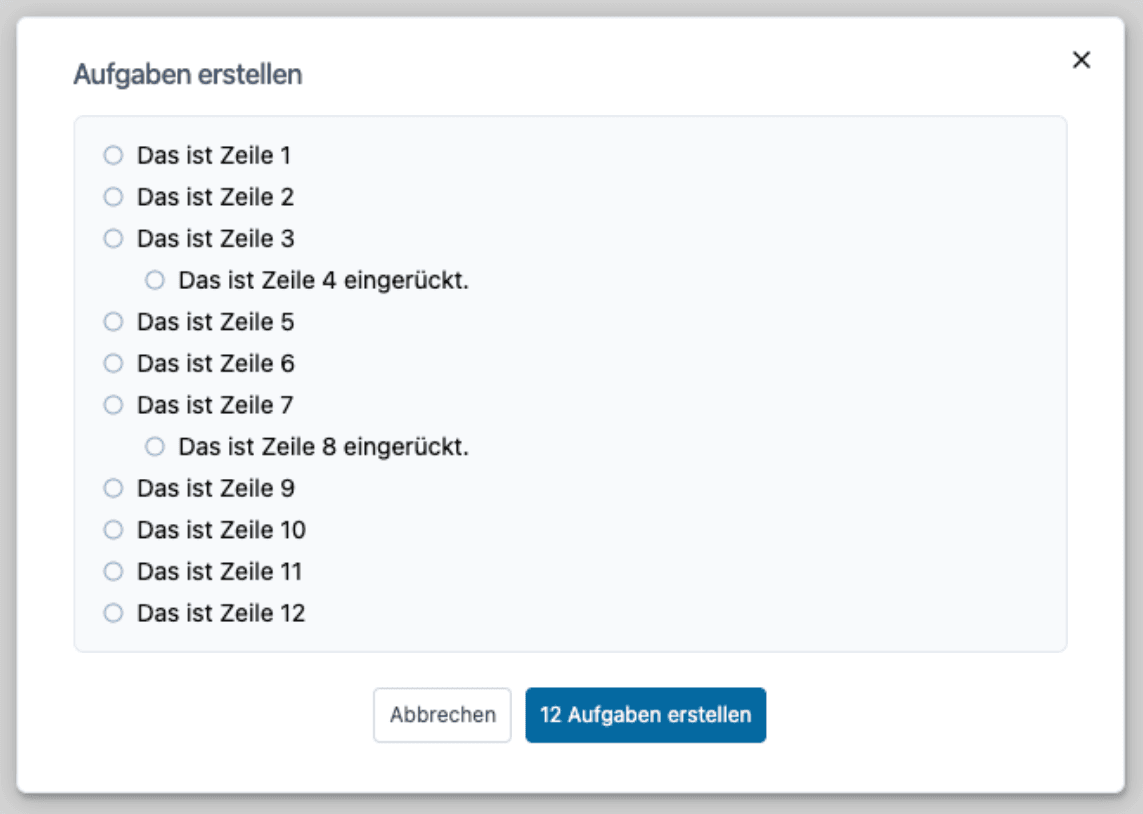
What's New?
- Tasks can now be created directly from the clipboard
- Each row from Excel automatically becomes its own task
- Works with a single column, but also with multiple columns, which are then separated by “ - ”
- Also works with bulleted lists from Word or an email, even with indentations
Here's how
- Copy rows from Excel, or a bulleted list from Word or an email, to the clipboard
- Click on a new, empty task in Octaved Flow
- Press Ctrl+V to paste (Cmd+V on a Mac or iPad)
- A preview is displayed before the task is created
Further improvements
- In the billing module, comments could not be saved for a billing entry because the field was not accessible. The issue has been resolved.
Revised view management
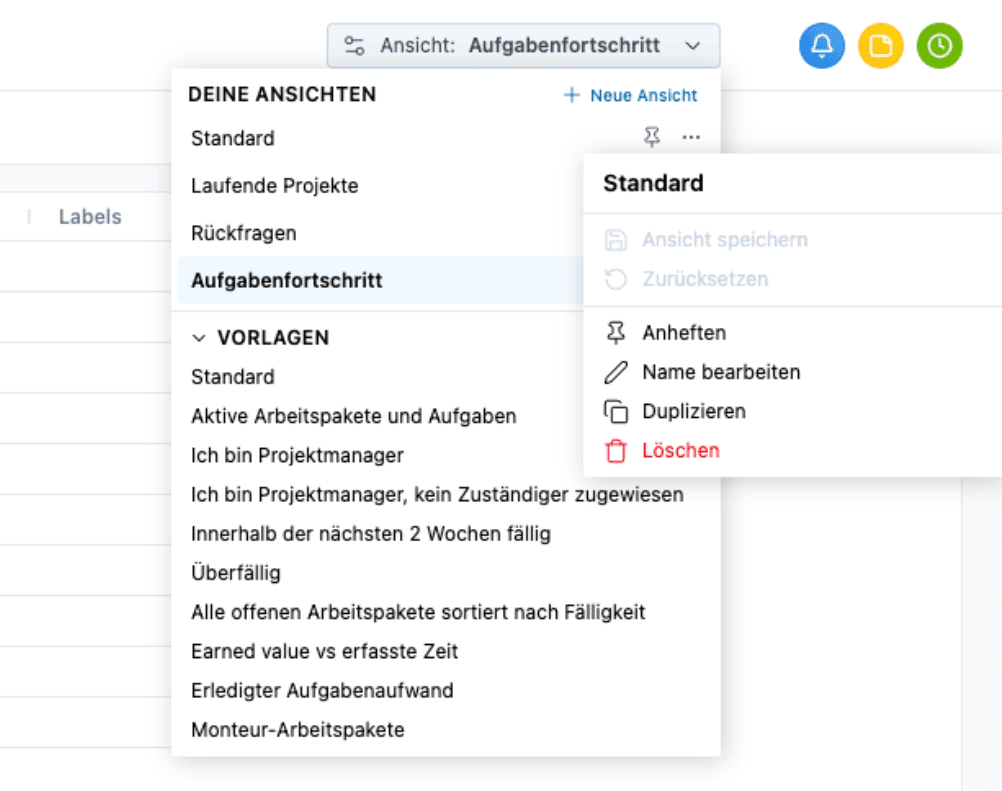
What's New?
- View management in the project table has been completely redesigned and improved.
- Views can now be reset to their original settings.
- Views can also be duplicated.
Here’s how
- In the project table, open the view management from the View menu.
- From a view’s three-dot menu, select Duplicate or Reset.
Pin Views
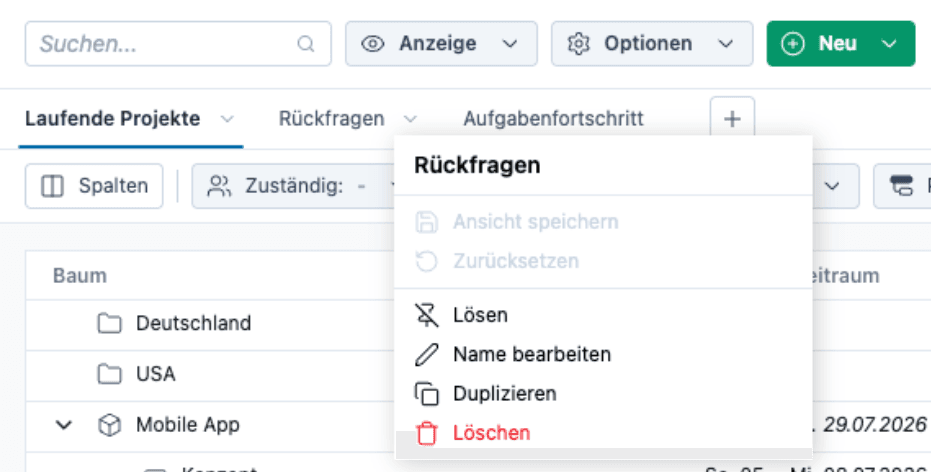
What's New?
- Pinned views appear as tabs, allowing you to quickly switch between them.
- Pinned views can be sorted using drag-and-drop.
Here's how
- To pin a view, click the pin icon next to the desired view. It will then appear as a tab above the table.
- To unpin a tab, click the tab and select Unpin.
New Templates for the Project Table
What's New?
- There are now new templates that better reflect typical use cases.
- Templates can be imported into your own views and then customized.
- Based on feedback from our user community.
Here’s how
- To do this, open the template overview in the project table, select a suitable template, and apply it to your own views.
- Then customize the columns and filters to your liking.
Further improvements
- A filter that is added now opens automatically.
Columns now work like filters
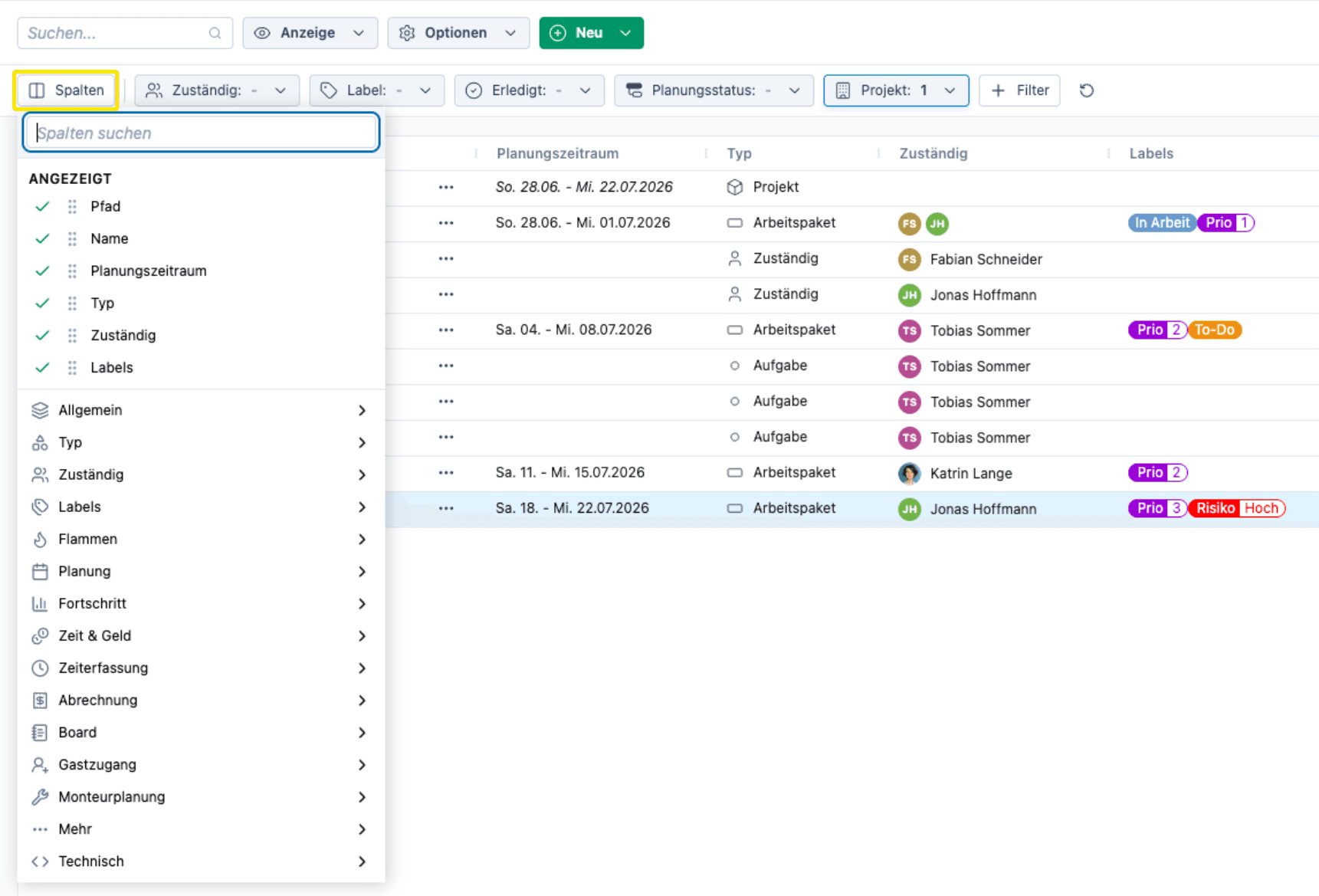
What's New?
- All column options are now clearly grouped by category and accessible via the column button (e.g., General, Type, Responsible, Labels).
- Columns can be reordered and shown or hidden directly from the column button.
- Columns can still be rearranged in the table using drag-and-drop. A placeholder now more clearly indicates where the column will be moved.
- Right-clicking on a column also provides a quick way to remove it.
Here’s how
Click Columns to show or hide columns and reorder them directly in the dropdown menu. Alternatively, you can move columns in the table using drag-and-drop or remove them by right-clicking.
Make triggers more flexible
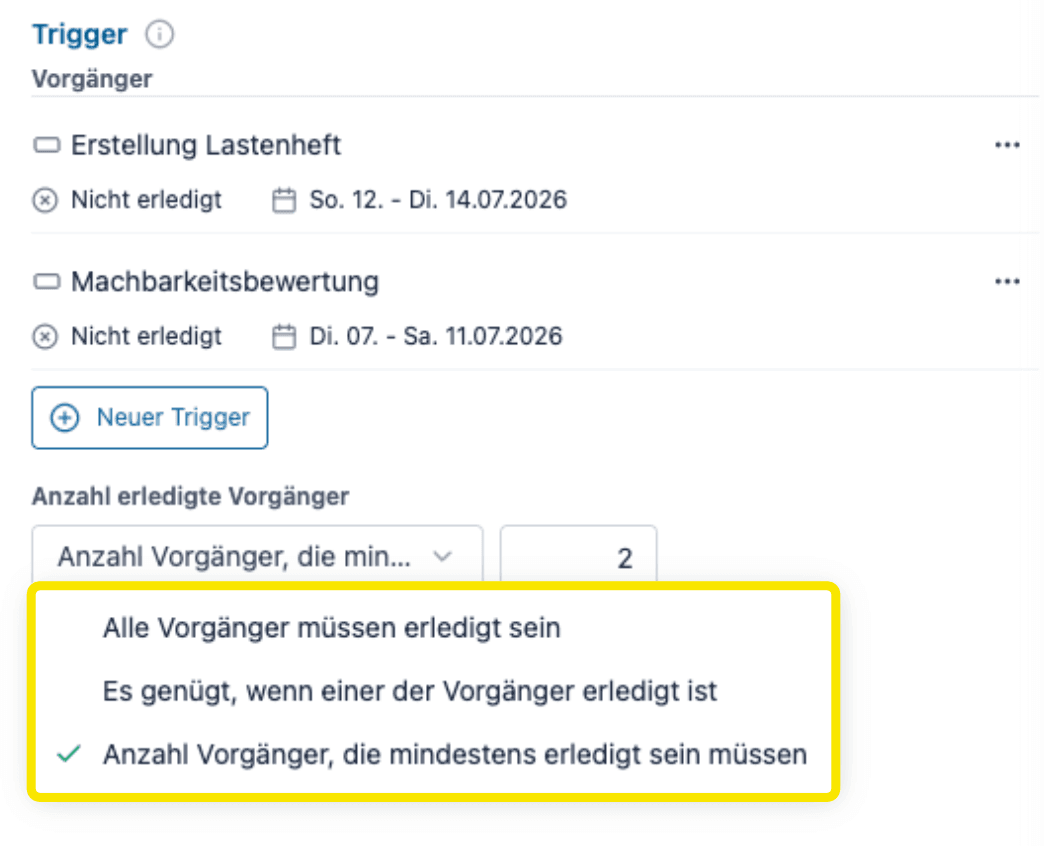
What's New?
A successor no longer has to wait until all predecessors of a trigger are completed. Instead, you can specify a minimum number of completed predecessors required to activate the trigger. A typical example of this is the dual-review principle in a quality gate: Three people can approve it, but just two approvals are enough for the process to continue.
Here’s how
In the trigger section of the successor, under Number of Completed Predecessors, specify whether all predecessors, one predecessor, or a minimum number of your choice must be completed.
Further improvements
- There are new filters for project time tracking and controlling by project manager, project, "Current Month", and "Last Month".
- The filters are now displayed more consistently in the content area.
- Bug fix: The search function in the “Responsible” dropdown is working again.
Group Capacity at a Glance
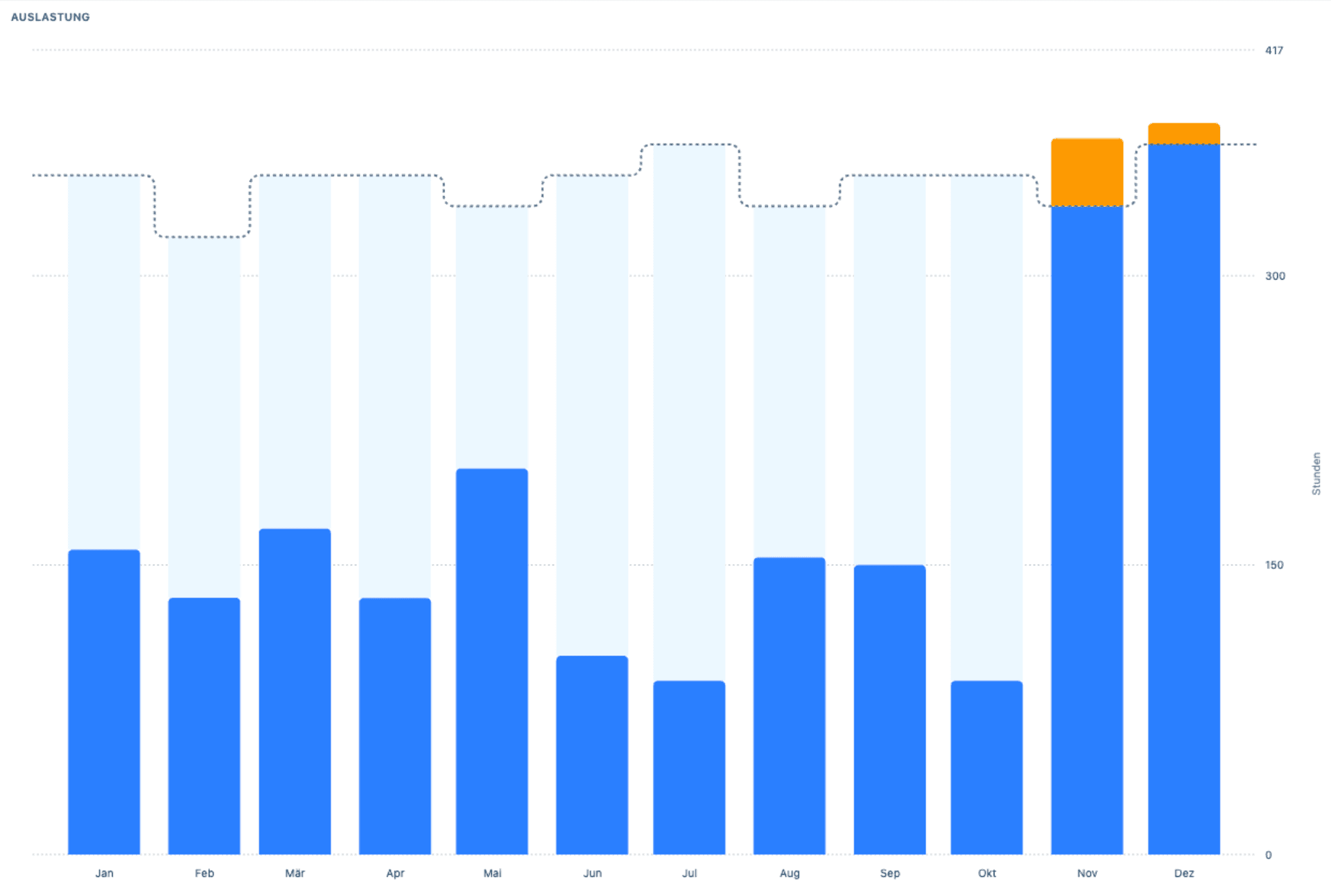
What's New?
There is a new expanded view that displays a group's workload as a bar chart over a selectable time period. It is designed for decision-makers and C-level executives and provides a quick overview of workload for the coming weeks and months. A dotted capacity line shows available capacity.
Here’s how
Open the new view via the three-dot menu next to the group name in Team Planning and select a group. You can use the time period settings to focus on the future.
Show expanded view of group capacity
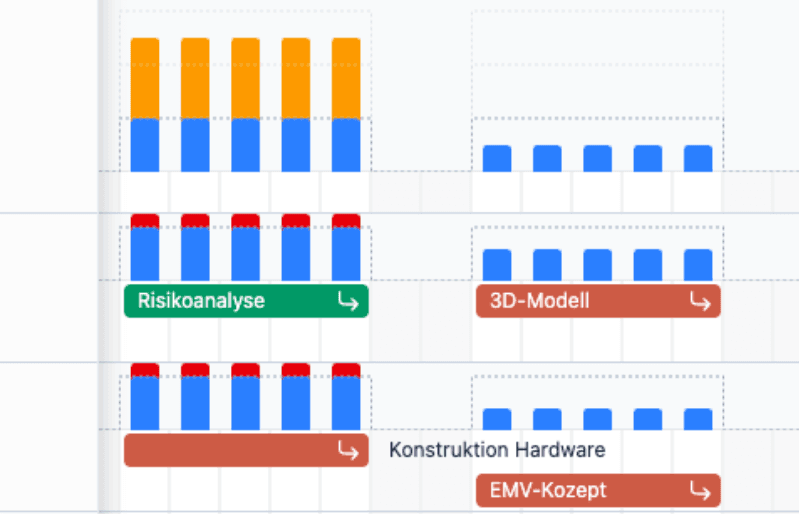
What's New?
For individual users, a utilization rate above 100% is a warning sign. For groups, however, it’s more useful to see how many resources are missing. That’s why the scale of the utilization gauge for groups can now be tripled, making even high levels of overload visible. Guide lines at 200% and 300% make it easier to interpret the data.
Here’s how
In Team Planning, under the Display menu item, select Increase Workload Indicator Scale by 3x.
Tracking Tasks in Team Planning
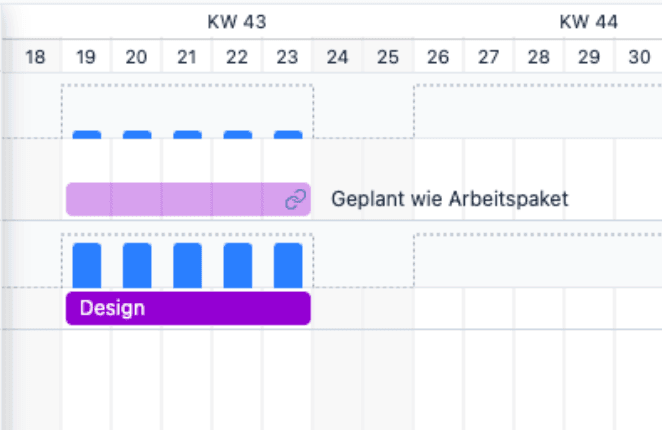
What's New?
Until now, a person's workload could be shown without it being clear where it came from. Going forward, tasks planned like a work packages will be displayed in the team planning section. This makes it possible to trace the workload back to its source.
Further improvements
- Logical dependencies are now consistently referred to as triggers.
- When exporting the project plan as a PDF, you can include today's date.
- Open trigger predecessors are highlighted in red with a flame icon as soon as the start date is reached or passed and not all predecessors have been completed.
- The plan line in the earned value chart is now calculated down to the day.
- There is a new default setting for the price category in the user settings.
- The scrollbar in project planning is now located only below the Gantt chart.
- The display options for groups in team planning have been restructured for greater clarity.
- The button for assigning responsible users in split-screen mode is working again.
- When copying to a project with a different client, the client is now correctly carried over.
- Milestone icons remain visible when moving the work package bar.
Milestones for work packages
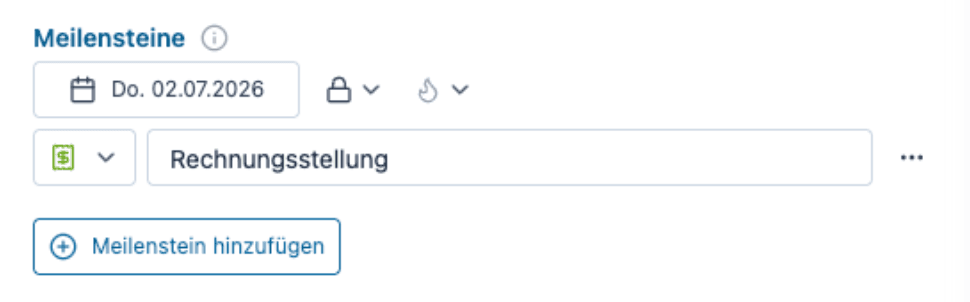
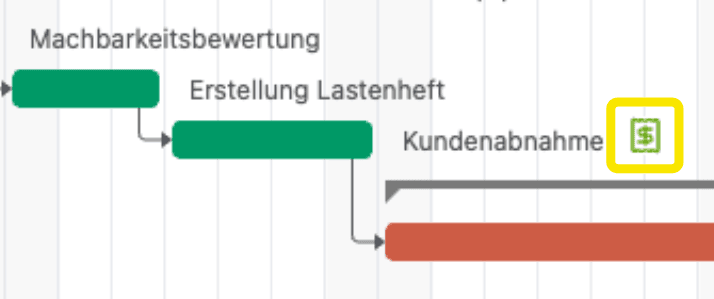
What's new?
Milestones can now be assigned directly to a work package, for example, to represent a customer acceptance or a fixed payment deadline. Such a milestone remains fixed to its date and does not shift along with the project. So, if you reschedule the duration of an entire project or subproject—which normally causes all subordinate work packages and tasks to shift as well—you can immediately see whether this would cause a fixed deadline to be missed.
Previously, an additional auxiliary subproject had to be created for this purpose, but this workaround is no longer necessary.
Here’s how
Open the detail view of the desired work package and add the milestone function under the Planning menu item at the bottom. Then create the milestone as usual.
Restrictions on dependencies and triggers have been removed
What's new?
Previously, when setting up dependencies and triggers, only work packages could be selected as predecessors, and tasks could only be selected from within the same project. These restrictions have now been removed. You can now designate both work packages and tasks as predecessors, and tasks can even be selected from across projects.
Removing the “Tiles” menu item
What's New?
The “Tiles” menu item will be removed in one of the upcoming versions of Octaved Flow. To ensure this doesn’t come as a surprise, a notification banner is already displayed right here.
The feature itself isn’t going away: You can find the same list in the detailed view of a project or subproject under the “Tasks” menu item. If you no longer need this menu item, you can hide it.
Further improvements
- Two new filters have been added to team planning: one for project folders and one for projects.
- The project role in the Work Package Inspector is now hidden behind a Project Roles button (to the right of Permissions) and is only displayed when a project role is assigned. This makes the view cleaner, which is particularly beneficial for new users.
- In the Earned Value Chart in Project Controlling, individual graph lines can now be shown or hidden via the legend.
- In the Earned Value Chart, you can now select the time unit for the X-axis between Day, Week, and Month (Day remains the default).
- In the Team Planning workload view, significant overload is now displayed in bold red instead of a gradient. This makes it clearly recognizable at a glance as “more severe” than a slight overload (yellow).
- When an active filter is removed from the table views via the + Filter button, it is now reset correctly regardless of its usage.
- A group’s schedulable hours are now calculated correctly in Team Planning, even if individual members already have scheduled work packages or tasks.
- When editing long group names, components were displayed outside the Inspector; this has been corrected.
- A locked customer can now be selected again in the table.
- The navigation arrows in the date selection dialog have been corrected.
New algorithm for group capacity planning
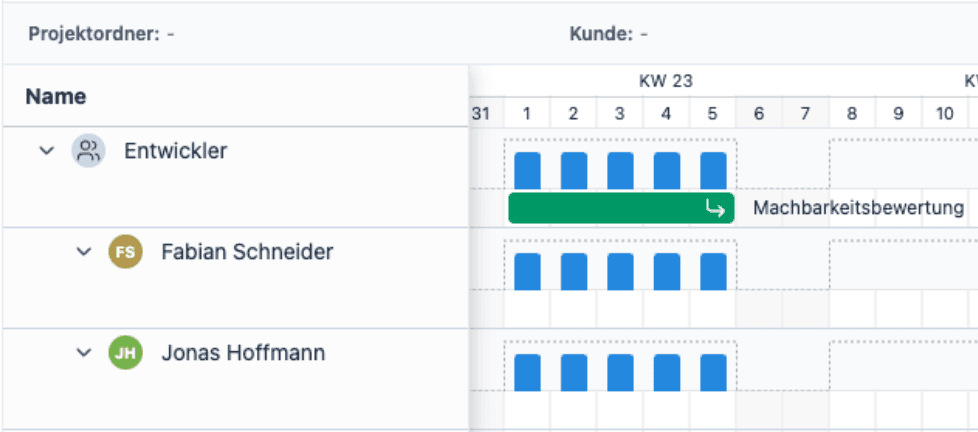
What's New?
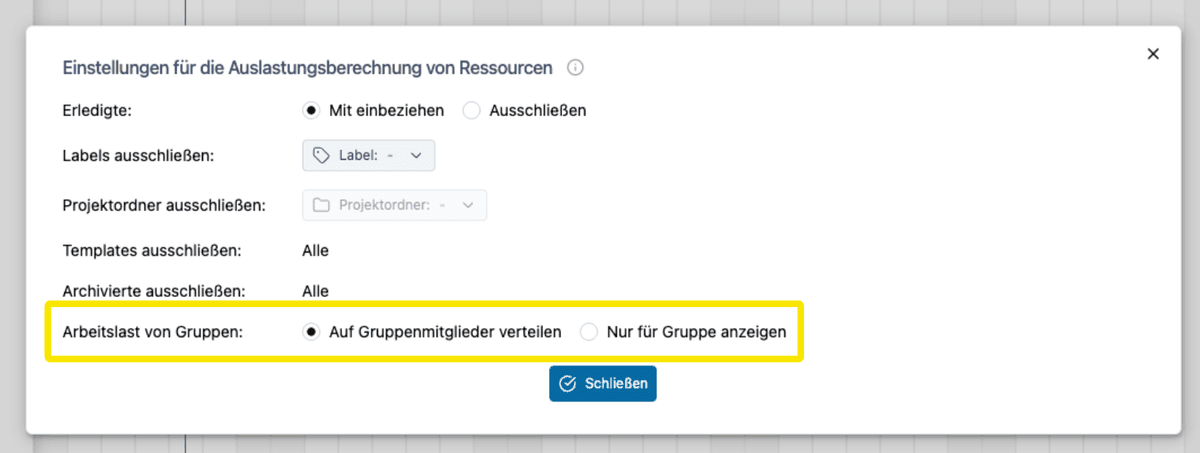
Previously, the workload of a work package assigned to a group was always distributed among all group members. However, for organizations with many projects and long-term group planning, this led to confusing team planning, with a multitude of planning bars and workload indicators displayed for individual users.
A second algorithm has now been developed for this scenario. With this approach, the workload is displayed only for the group and is not distributed among the individual group members. This makes the view clearer again when planning far in advance.
An overview of the two algorithms:
- Distribute to group members: The previous behavior. The workload of a work package is divided among all members of the responsible group and displayed proportionally to each member.
- Display only for group: The workload is displayed exclusively for the group. Group members do not receive their own workload display for these work packages—as long as no individual user is directly assigned as the responsible person.
Here’s how
In Team Planning, go to the Options menu, select Workload Calculation Settings, and then under Group Workload, choose the Show only for group option.
Tip
In the View menu, under Group Planning Bars, show or hide the bars.
Replace group with user
What's New?
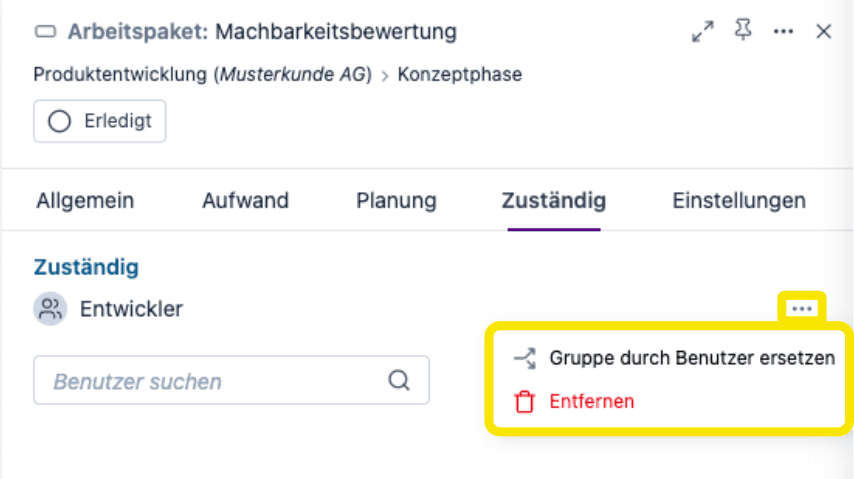
A group listed as responsible can now be replaced directly with individual users. All group members are displayed, so you only need to select the desired users.
This is particularly useful for long-term planning with groups, where detailed planning is not finalized until a later date when user availability is known.
Here’s how
In the work package's detail view, under Responsible, there is a new three-dot menu with the option Replace group with users.
Table expands automatically when filtered
What's new?
Previously, you had to manually expand the table after applying a filter to view the results.
Now, the table expands automatically as soon as a filter or search is active, immediately displaying all relevant entries. If the filter or search is removed, the table remains in its current state and does not collapse automatically.
New filter concept with + filter

What's New?
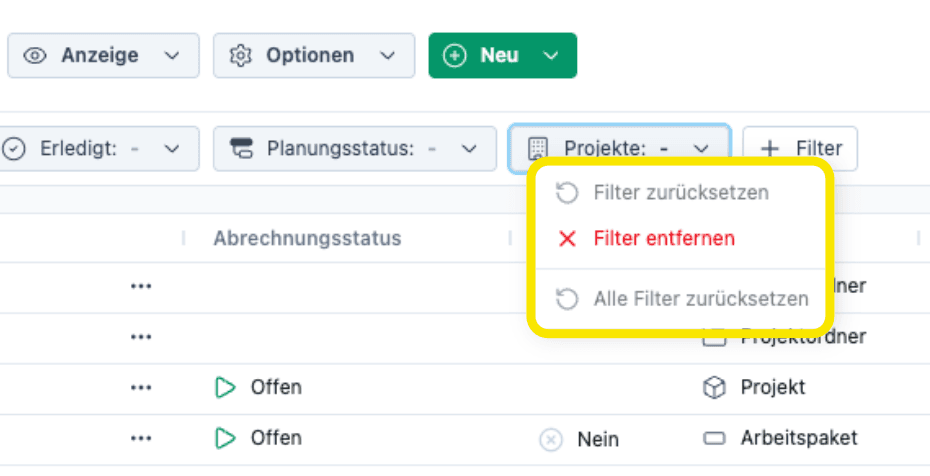
The filters in Project Planning, Team Planning, and the table have been redesigned. Filters can now be added and managed using a central + Filter button. This provides a clearer layout, and a separate filter configurator is no longer needed.
New feature: All active filters can be reset at once with a single click. This feature was previously missing for users who work extensively with filters.
Here’s how
Click + Filter to add a filter. Right-click on a filter to reset it or to reset all filters.
“Done” filter with new options
What's new?
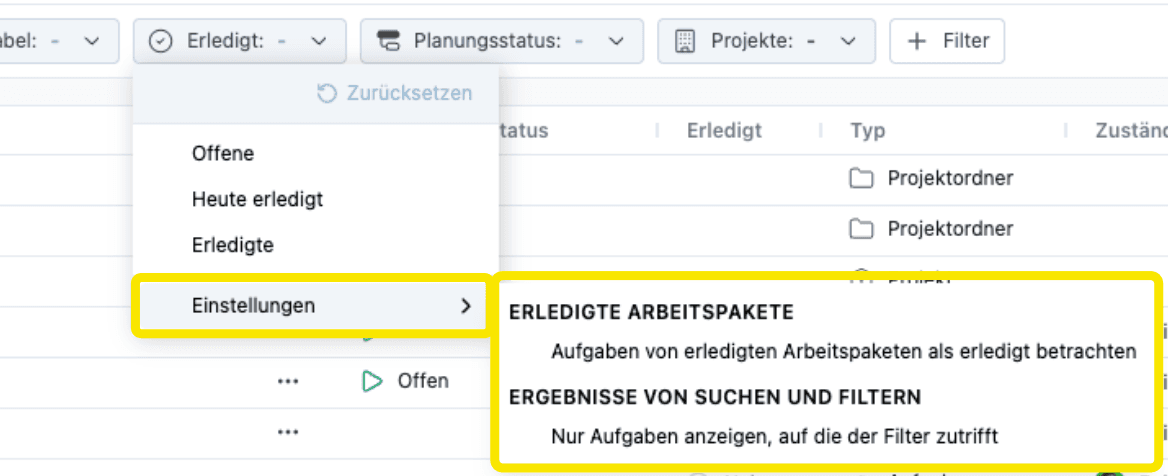
The Done filter now has two new options that let you customize how the filter applies to tasks.
For example, you can choose whether to display only open tasks or also completed tasks (for a complete overview), or whether to display a pure to-do list containing only open work packages and tasks.
Additional improvements
- You can now assign a color to tasks, just as you can for subprojects and work packages.
- When dragging and dropping in the table, Octaved Flow now waits longer before expanding a node. This prevents unintended expansion when scrolling to a distant destination.
- After moving an entry in the table, it is automatically selected to prevent accidentally editing the wrong item.
- Clicking the three-dot menu now selects the corresponding row. Previously, the previously selected row remained active, which could lead to confusion.
- When drawing or moving a planning bar, the corresponding work package is automatically selected and displayed in the Inspector, provided it is already open.
- The expanded state is now saved per view, so you no longer need to re-expand when switching between views with different filters.
- The project folder filter now supports multiple selections.
- The option Hide from selection dialogs has been removed from the user settings. Instead, the user is deactivated.
- The user settings now include a new section titled Default Price Category. If the option to select a price category per time entry is enabled in a work package, the user’s stored default setting is automatically preselected for new time entries.
- The internal ID is now displayed in the technical information for users and groups, providing a reference for users working with the API interface.
- The display of labels in team planning for long texts has been corrected.
- The positioning of labels for technician work packages with conflicts has been corrected.
Configurable milestones
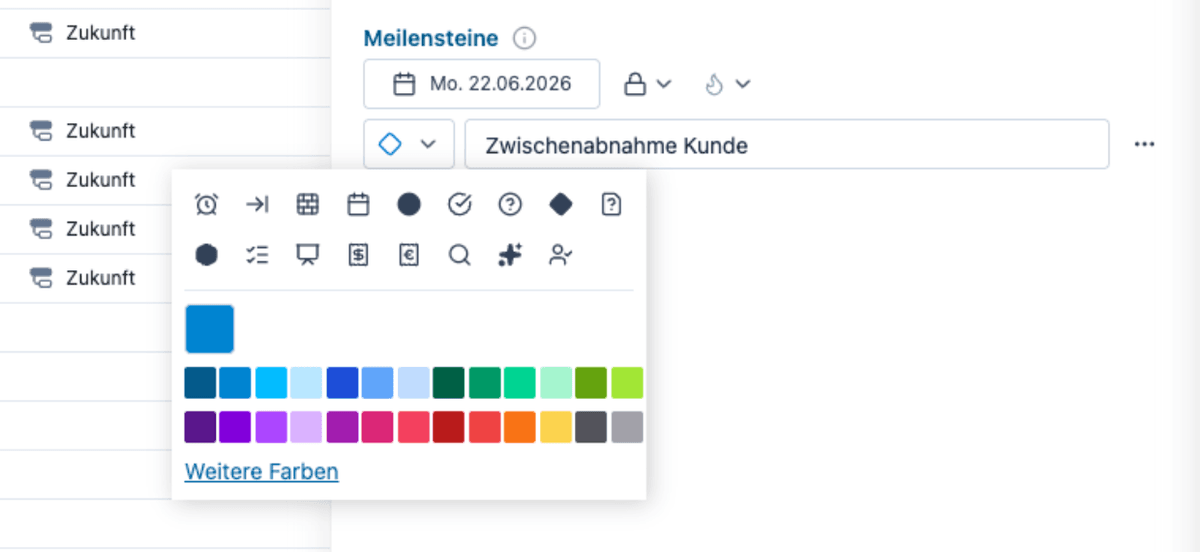
What's New?
Milestones can now be customized individually. For each milestone, you can set a name, select an icon from a list of symbols, and choose a color.
There are also two new options:
- Move with parent: The milestone moves automatically when the parent of a project or subproject is moved. Alternatively, it remains fixed to its date.
- Show flame: If work packages are scheduled after the milestone, a flame is displayed. This option can be turned on or off for each milestone.
How to do it
In the detail view of a project or subproject, under Planning, create and configure a new milestone.
Customizable bar labels in team planning
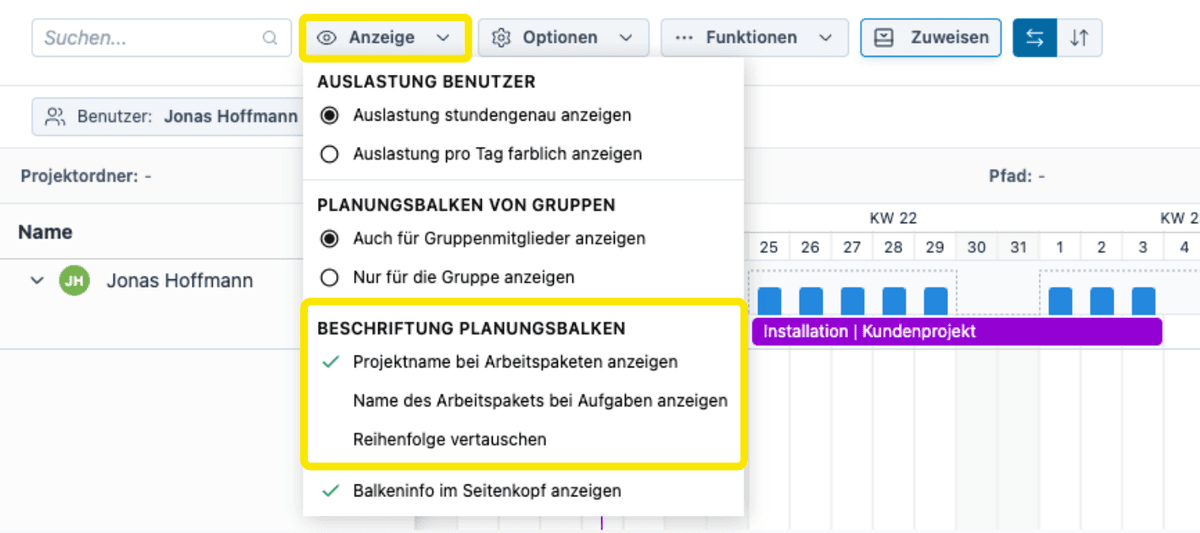
What's New?
Previously, the labels on the planning bars were fixed. Especially when planning for installation teams, the fact that many work packages have the same name—for example, Installation—makes it difficult to distinguish between them in team planning.
Now, the labels on the bars can be customized.
- For work packages, the project name can also be displayed.
- For tasks, the name of the parent work package can be displayed.
- The order of the two pieces of information can be swapped.
Here's how
In Team Planning, go to the Planning Bar Labels section under Display and enable the desired options.
Hide group planning bars for group members
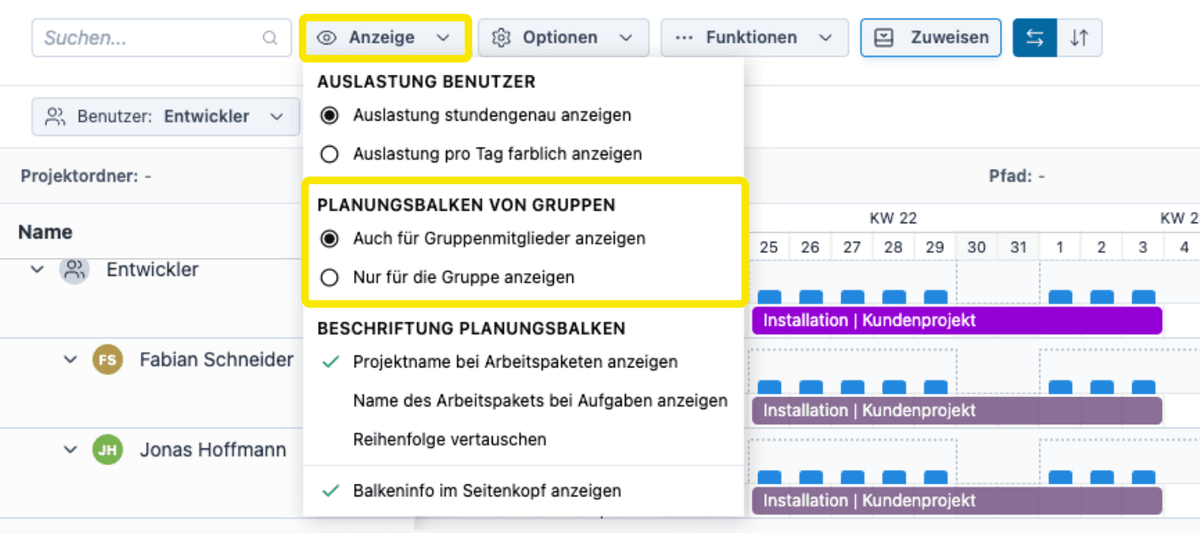
What's New?
If a group is responsible for a work package, you can now optionally hide the bars for individual group members as well. This prevents the bars from being duplicated and makes the display more compact and easier to read.
Here's how
In Team Planning, under View in the Group Planning Bars section, select the desired option.
More efficient arrangement of bars and tasks in team planning
What's new?
Previously, the tasks within a work package could appear above and below the work package and be mixed in with other bars. This resulted in inefficient use of space.
Now, the bars are arranged more compactly, and all tasks within a work package appear directly below the corresponding work package bar—clear and uncluttered, without being mixed in with other entries.
New filter options in team planning
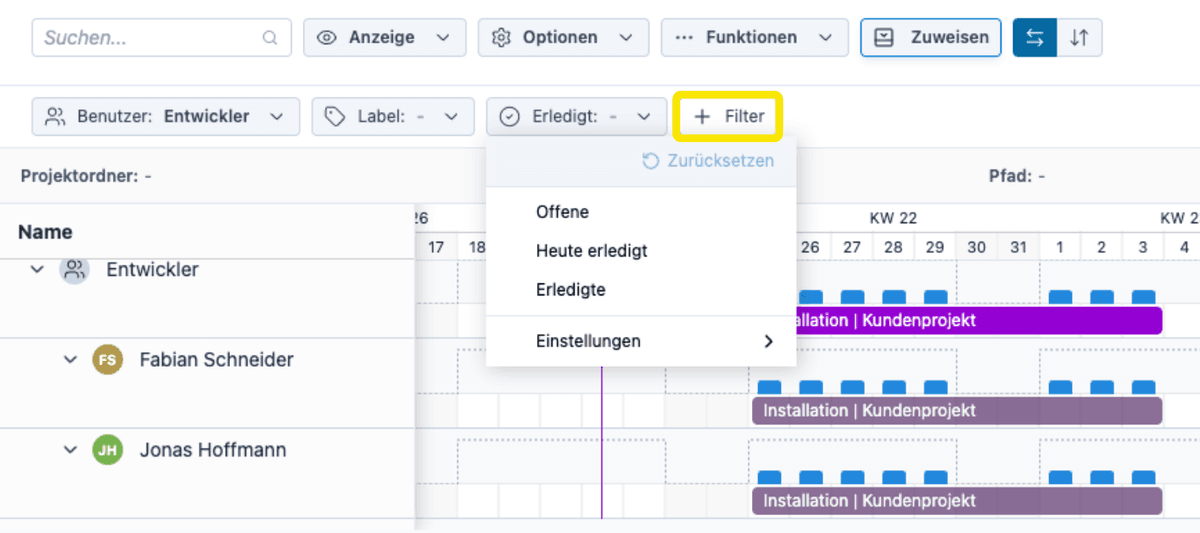
What's New?
Team Planning now supports the new filtering concept with the + Filter button. New filters have been added:
- Label and Label is not: for selectively showing or hiding entries based on labels
- Completed: for hiding or selectively displaying completed entries.
The filters affect only the view; the workload calculation remains unchanged.
No more flames for groups in technician scheduling
What's new?
Previously, when groups were assigned as responsible parties for installer work packages, warnings were generated for individual group members, resulting in a large number of unintended warnings.
Now, in this situation, warnings are no longer displayed for groups, but only for directly assigned users.
Simple and advanced modes for tracking effort in the detailed view for work packages
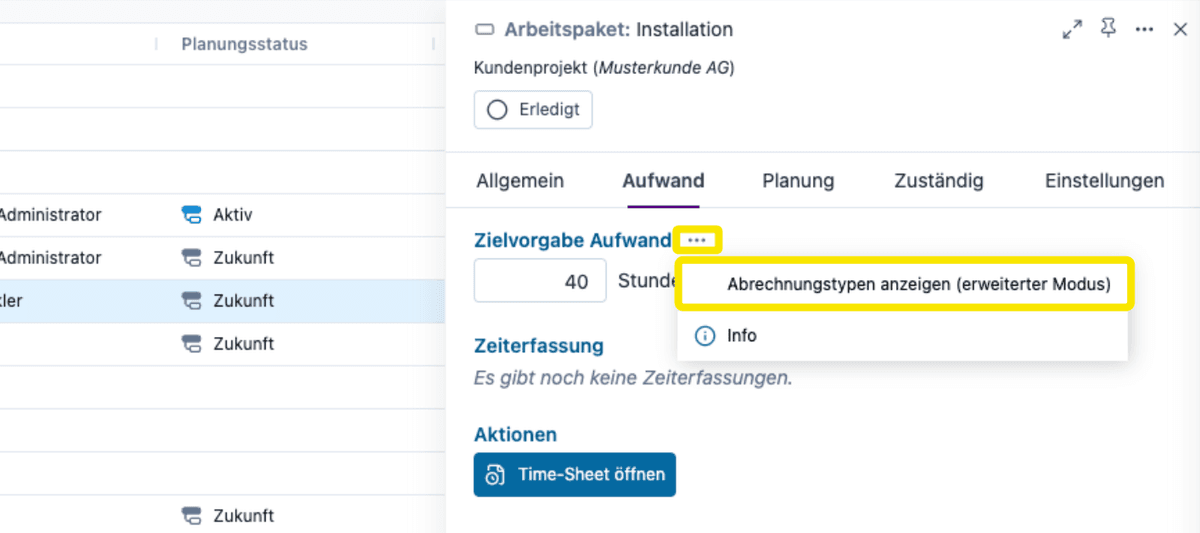
What's New?
When creating a new work package, two modes are now available for recording effort: a simple mode for quick entry and an advanced mode for detailed planning.
Here's how
In the work package detail view, under the Effort menu item, select the 3-dot menu next to the Target Effort field to switch between modes.
Additional improvements
- Templates are no longer displayed in Team Planning, as they were not relevant there and could be confusing, especially for new users.
- Planning bars and diamonds are now displayed without color gradients, giving the design a cleaner, more modern look.
- Tasks in Team Planning are now displayed as solid bars. This significantly improves readability when there are many tasks.
- The performance of Team Planning has been noticeably improved.
- The workload pop-up now displays detailed workload information for groups as well. Previously, no details were shown there.
- After adding a user in Team Planning, their view is automatically expanded.
- The pie chart for workload in Team Planning now uses the colors of the work packages.
- Projects based on templates can now be created even if the user does not have direct access to the project folder of the template, but only to the template itself.
- The project tree in the baseline comparison in Controlling is now displayed correctly again.
- The “Completed” status for responsible users has been removed. If work in a work package is divided up and needs to be reported as completed separately, tasks should be used for this purpose.
Set project manager when creating a project
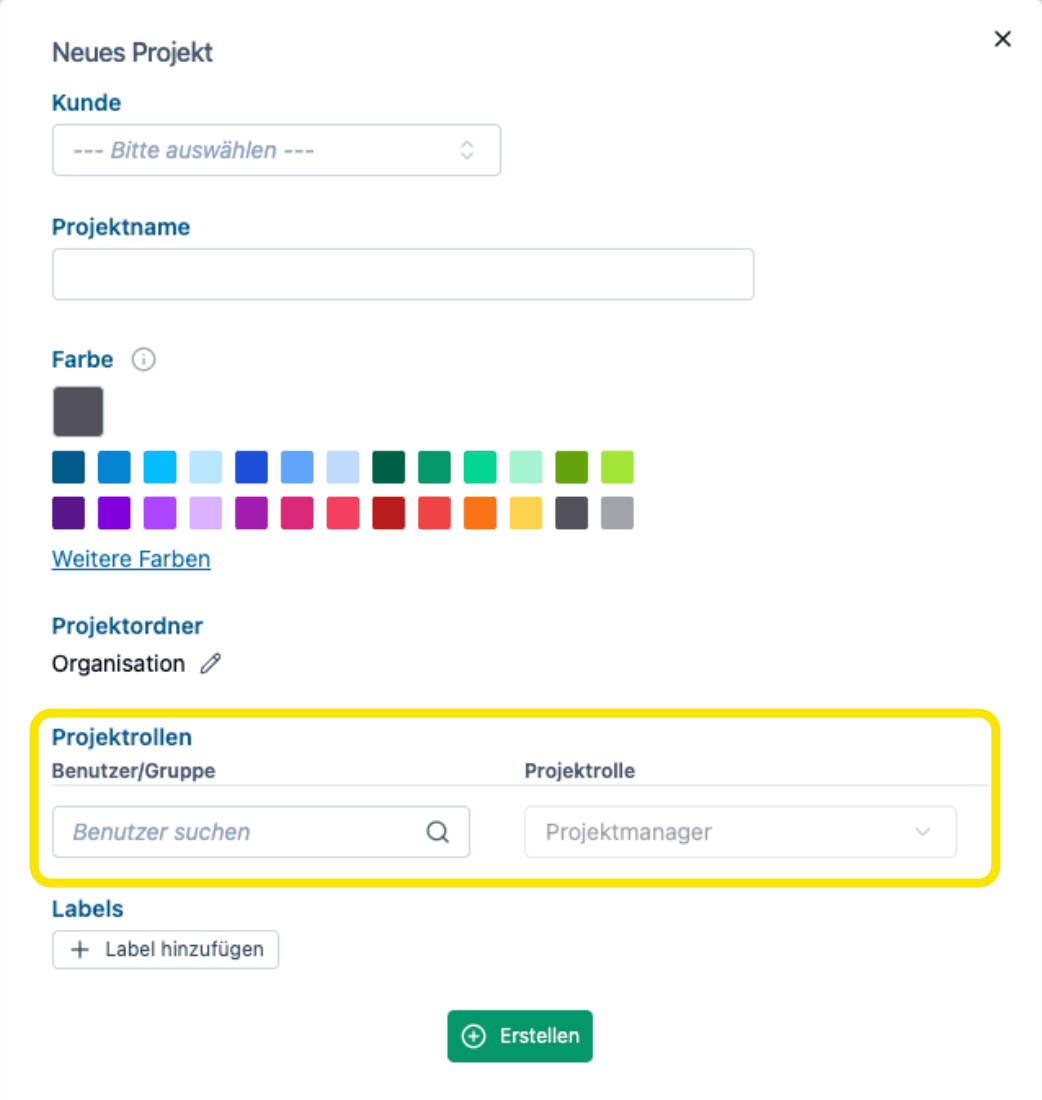
What's New
- Users who have enabled the I am a project manager filter previously could not see newly created projects immediately.
- Now the project manager can be selected directly when creating a project, so that the project is visible immediately without having to disable the filter.
- This also works when a label filter is set.
How to do it
- When creating a new project, click the More button
No more gray rows when searching and filtering
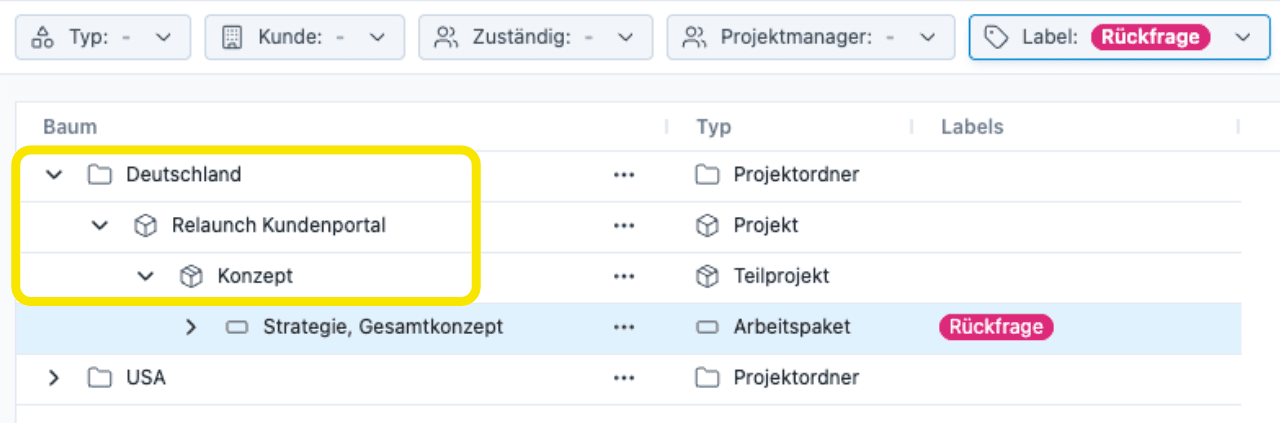
What's New
- When searching and filtering, rows that were not search results but were still useful for display were previously shown in gray.
- This confused some users, as the rows appeared to be disabled.
- Now everything is displayed in black text.
Duplicating in the table using the Ctrl key
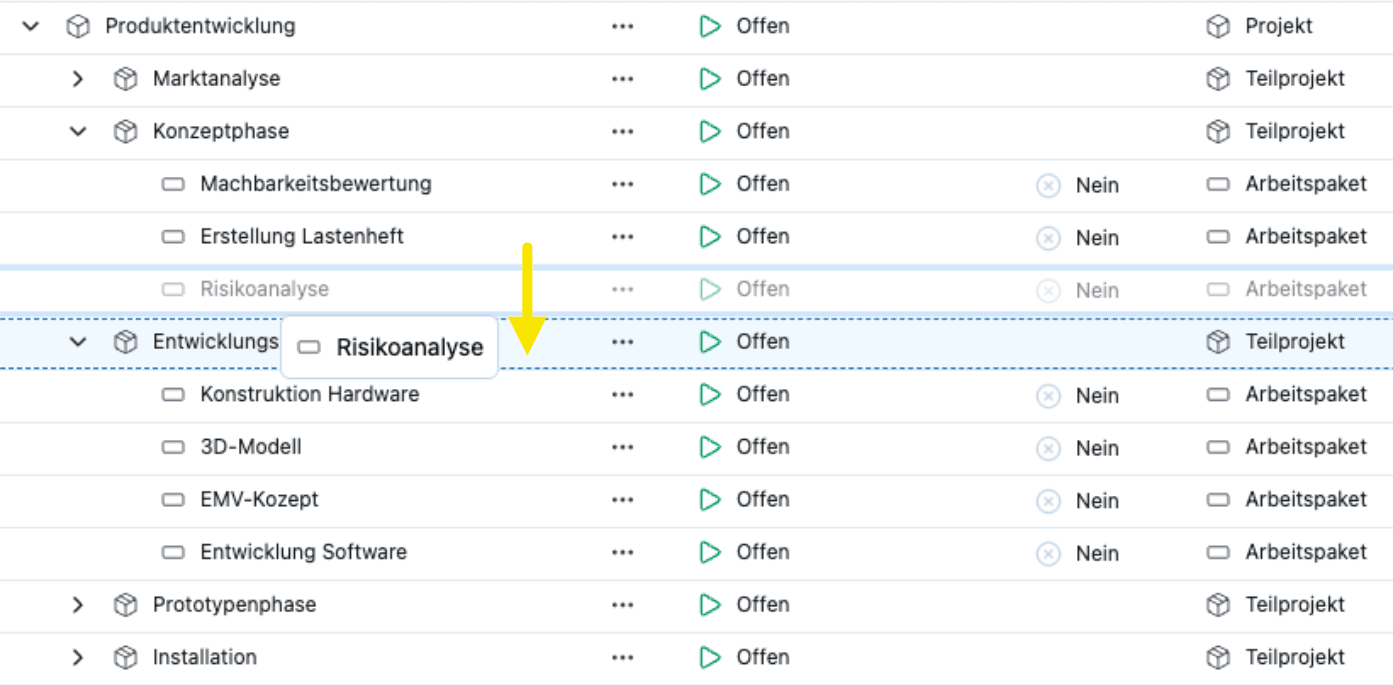
What's new
- If a work package is dragged to a new location while holding down the Ctrl key, it is duplicated.
- It was previously possible to duplicate a work package via the three-dot menu and specify the destination. Now this can be done with a single drag-and-drop.
- If the customer subsequently orders an additional module for a project, the corresponding subproject can be easily copied from the template via drag & drop.
How to do it
- In Projects > Table or in project planning, hold down the Ctrl key while dragging and dropping.
Drag & Drop for Project Folders
What's New
- Previously, projects, subprojects, work packages, and tasks could be moved via drag-and-drop in the table views.
- Drag-and-drop moving is now also available for project folders.
How to do it
- Hold down the Shift key while moving.
- To move a project folder to the top level, drop it onto Move to Top Level.
Additional Improvements and Bug Fixes
- If individual planning is defined for each responsible user within a work package, you can now switch between the detailed view of the individual planning and the detailed view of the work package in Team Planning. There is now a toggle switch next to the header at the top of the detail view.
- In rare cases, planning bars in the team schedule might have overlapped. This issue has been resolved.
Project controlling for project folders
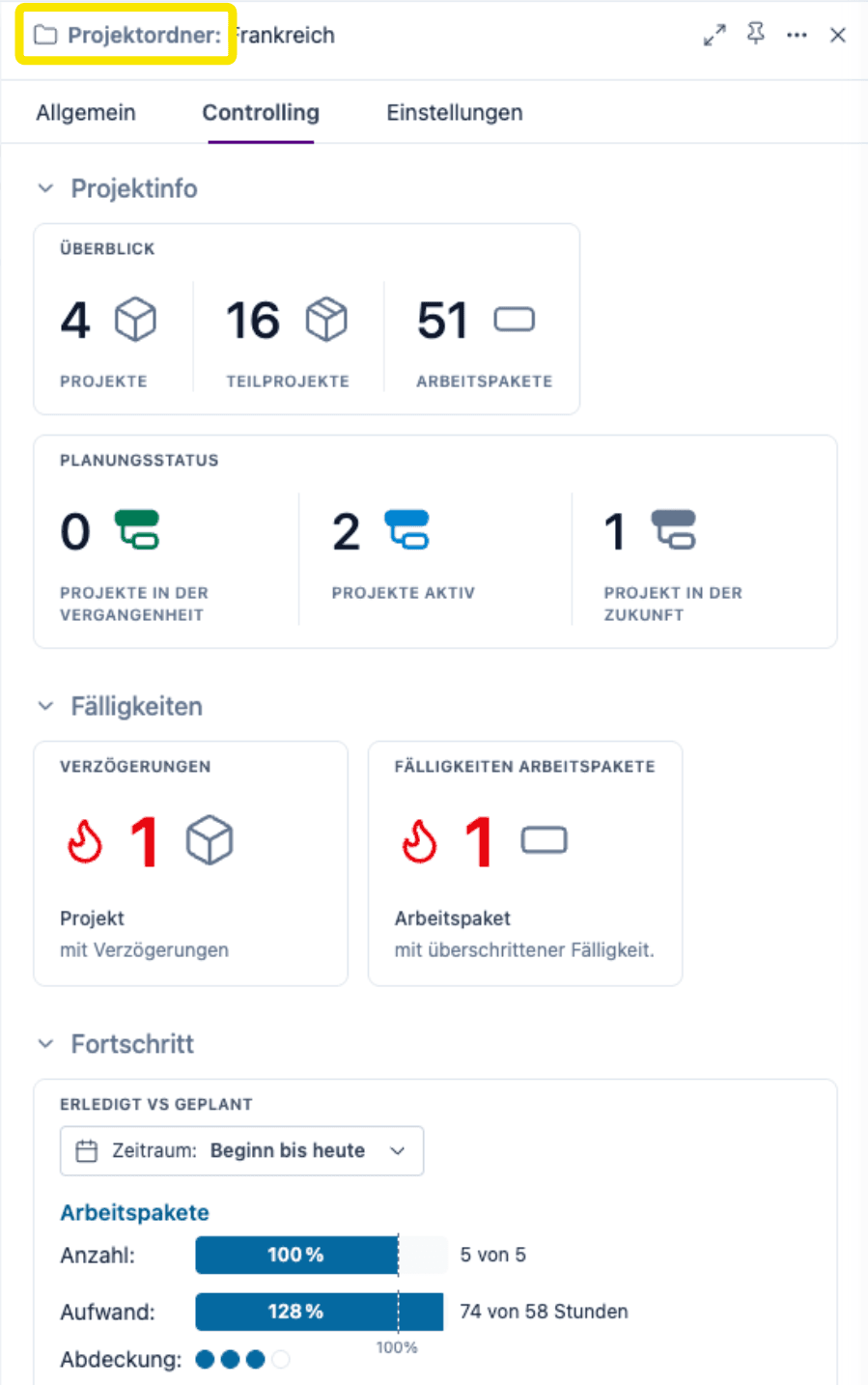
What's New
- Project controlling is now available per project folder and thus applies across all projects in that folder.
- Compact view in the detail view on the right-hand side.
- Full scope in the large detail view.
How to do it
- In the detail view, select the Controlling menu item.
- Users who have not yet created a project folder should go to the Controlling > Projects menu item. There, you will find the top-level project folder Organization, which displays the controlling for all projects.
Cross-Project Earned Value Chart
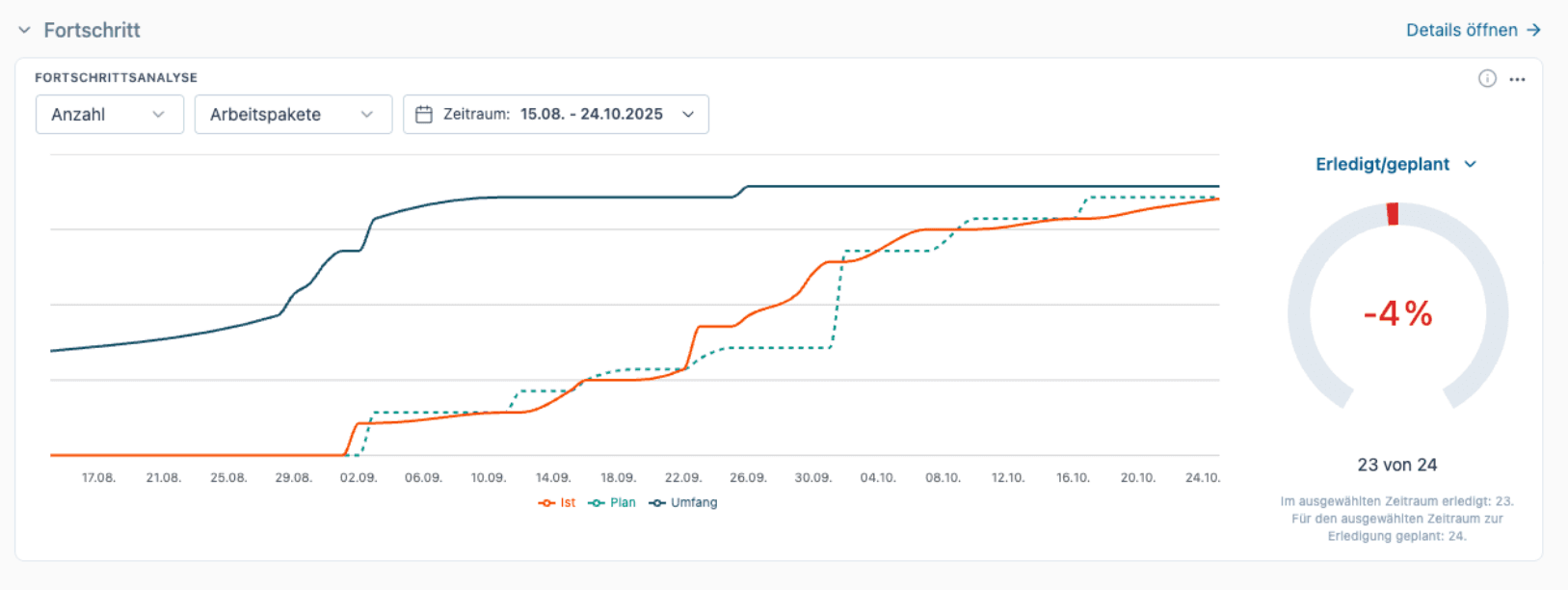
What's New
- Comparison of planned versus actual hours worked (Earned Value).
- This is now available not only for a single project but also across projects.
How to do it
- In the detailed view of the project folder, select the Controlling menu item, then the Progress section.
New Controlling Project Overview
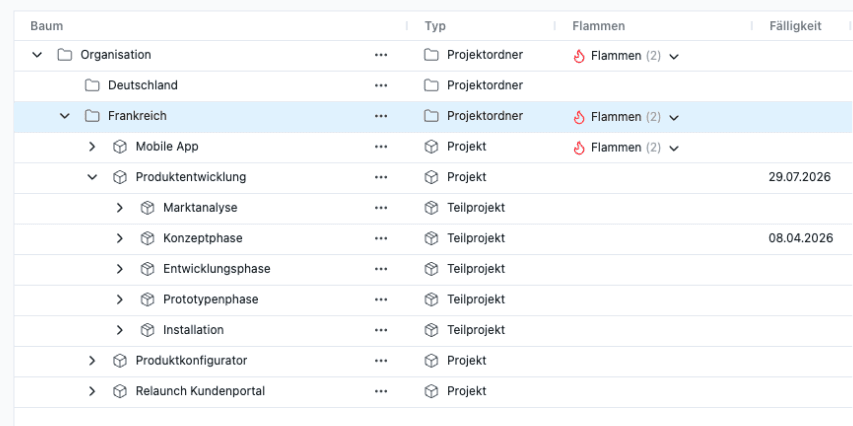
What's New
- Display of all project folders, projects, and project phases
- With icons and details showing what the icons represent.
- Directly open Project Controlling in the detail view
How to do it
- Menu item Controlling > Projects
What has been removed
- The menu item Controlling > Project Controlling has been replaced by the new menu item.
Additional improvements and bug fixes
- The table view now includes a new column that indicates whether a work package contains a technician schedule.
- Another new column displays a progress bar showing the extent to which the work package has been covered by the planned number of technician workdays.
- Filters are now available for both new columns.
- For the filter for planned installer work packages, you can set the tolerance—that is, the percentage deviation from the target at which the installation work package should be displayed.
- Opening the team schedule was slow when there were a large number of installer schedules with many overlaps. This issue has been resolved.
Setting Time Estimates
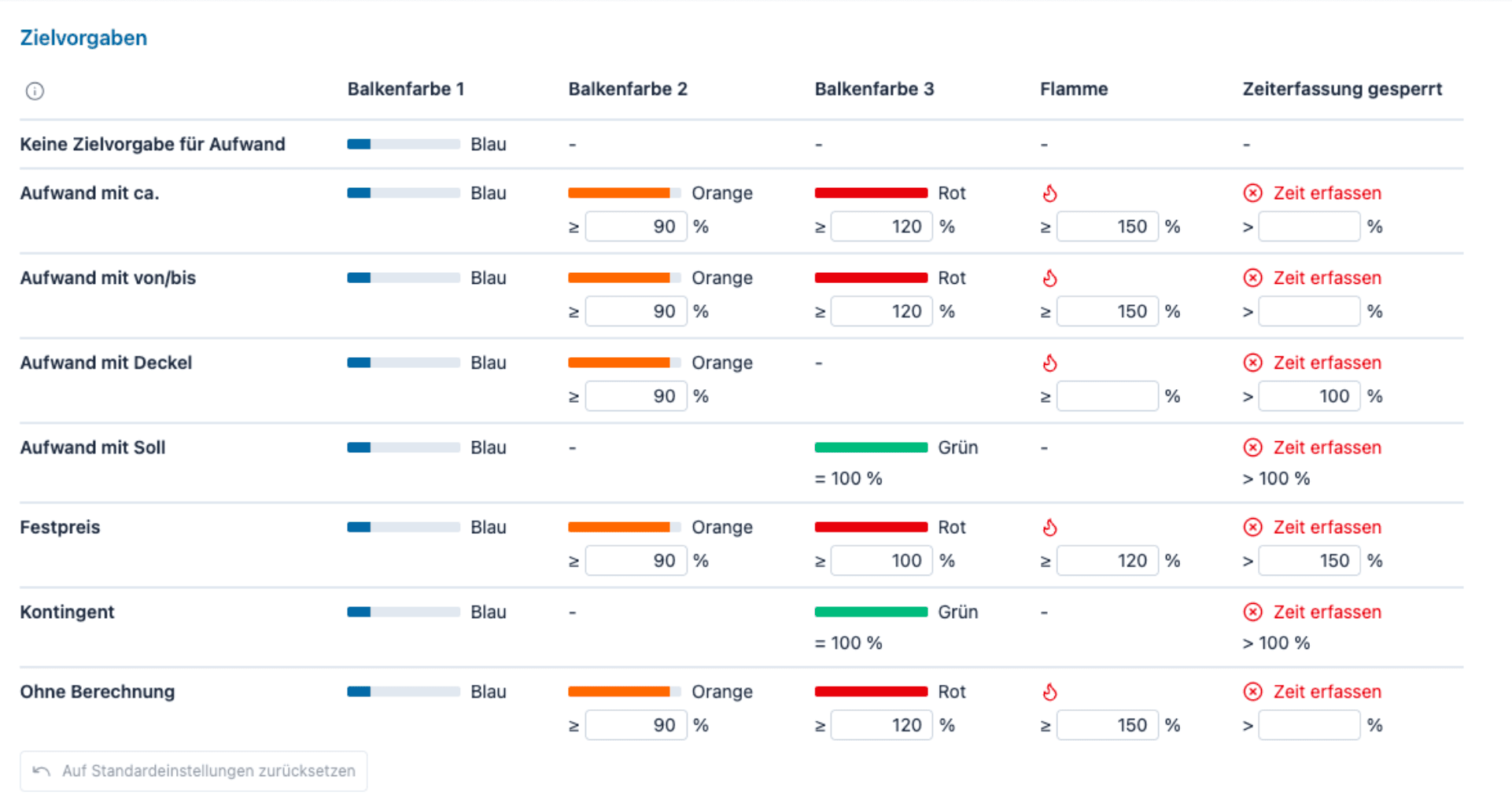
What's New
- New, improved logic for time estimates in project time tracking
- Customizable conditions for bar colors
- Thresholds for displaying flames are customizable
How to do it
- Go to the Settings menu, then More, and then the last item Targets.
Easier target entry
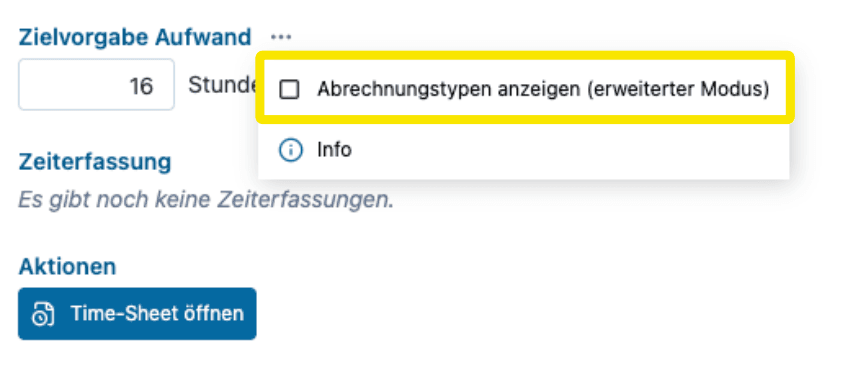
What's new
- Simpler, automatic mode for setting work package targets.
- When the target field is filled in, the target type is automatically Estimated Effort.
- If left blank, the type is No Target for Effort.
- This means fewer clicks for companies that primarily need a target for capacity calculation.
- Companies that use multiple billing types can enable Advanced Mode and then select as before.
How to do it
- Enable Advanced Mode in the 3-dot menu
Additional Features for Targets
- There is a new billing type Effort with Target, which better conveys that achieving 100% is explicitly desired here.
- A target can now be defined in the billing type No Calculation.
- In Project Controlling, you can now switch between executing the project with minimal effort and meeting target requirements, depending on the actual project goal.
- The menu item Time/Money in the settings of work packages has been renamed to Effort.
Additional Improvements and Bug Fixes
- When creating a project based on a template or duplicating projects, you can now choose whether to copy existing board posts.
- There are various minor improvements to the user interface of the controlling module for project time tracking.
- Users without sufficient permissions could previously move bars in the project planning. Although this had no effect since nothing was saved, it could be confusing. The issue has been resolved.
- If an individual’s schedule (including that of a technician) fell outside the scope of the work package’s schedule, the workload was displayed in the wrong place. This issue has been resolved.
- Milestones are now, as the name implies, fixed in place and are not moved when the project’s bracket is moved.
- Project roles or responsibilities assigned in templates are ignored when assigning permissions.
- Material resources can only be assigned via drag & drop directly in the split screen within project planning. The toggle between users and material resources is located behind the header.
- There is a new type of board post in the board: Email.
- In the board, you can configure whether work packages and tasks without board posts are still displayed in the project board.
- If the email address was entered in lowercase when inviting new users, the invited user authenticated with Microsoft Entra ID, and the email address was stored in Entra ID in uppercase, issues occurred during the invitation process. This process is now case-insensitive.
- The pop-ups for new subprojects now contain fewer elements, or these have been hidden behind options, to make the pop-ups clearer.
- The design of the Done buttons has been improved.
Templates and archive excluded from calculation
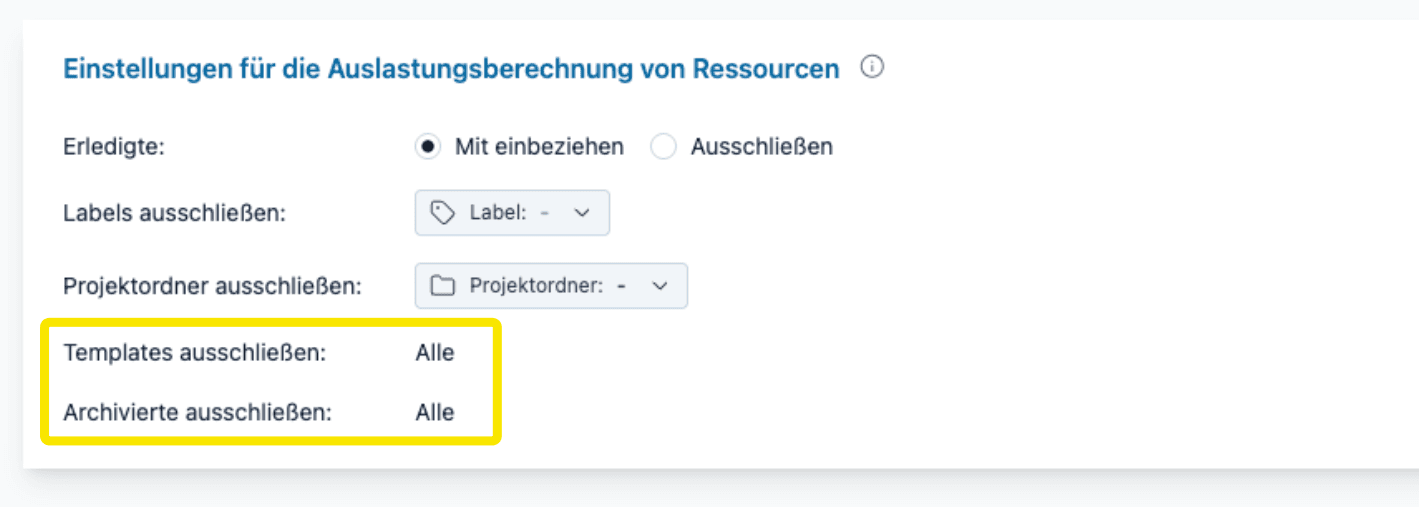
What's new
- Templates and projects in the archive are now always excluded from resource utilization calculations.
- This applies to team planning and all areas where user workloads are displayed.
- As a result, utilization is accurate even when templates have a current plan.
Exclude projects with specific labels
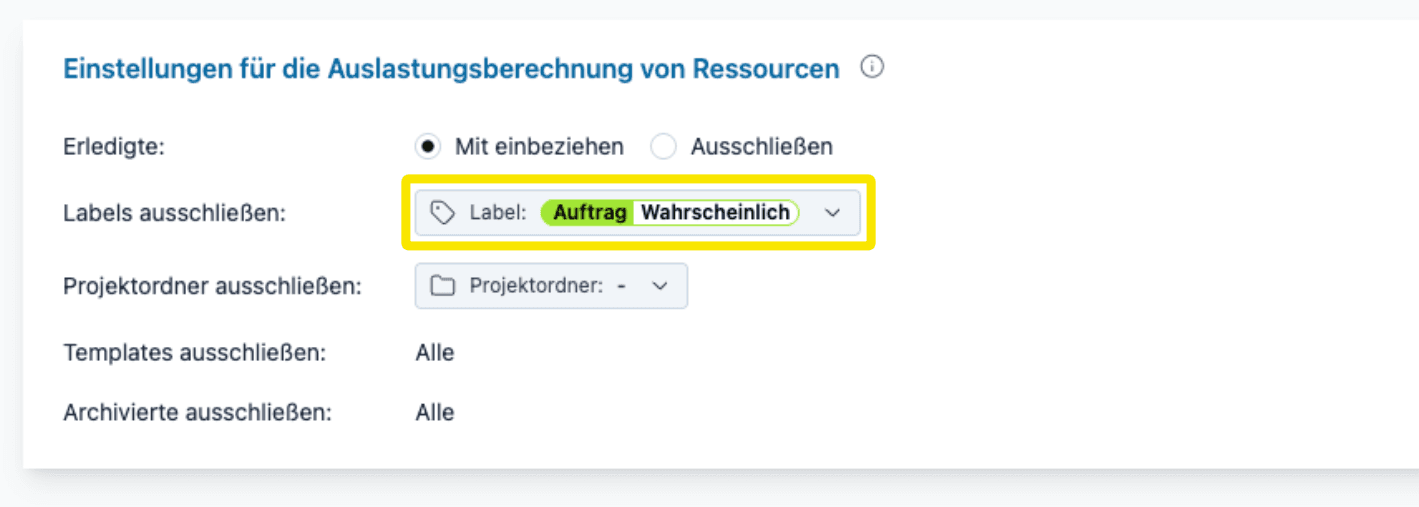
What's new
- You can label projects as Draft to exclude them from the capacity calculation.
- Or you can use the function to simulate different scenarios.
- For example, projects that have not yet been commissioned can be assigned the labels Order | Probable and Order | Unlikely.
- This allows you to simulate future workload based on the probability of orders being placed.
- For example, you can simulate what happens if even the less likely projects are commissioned.
How it works
- In Team Planning, select Settings for workload calculation in the Options menu.
Exclude project folder
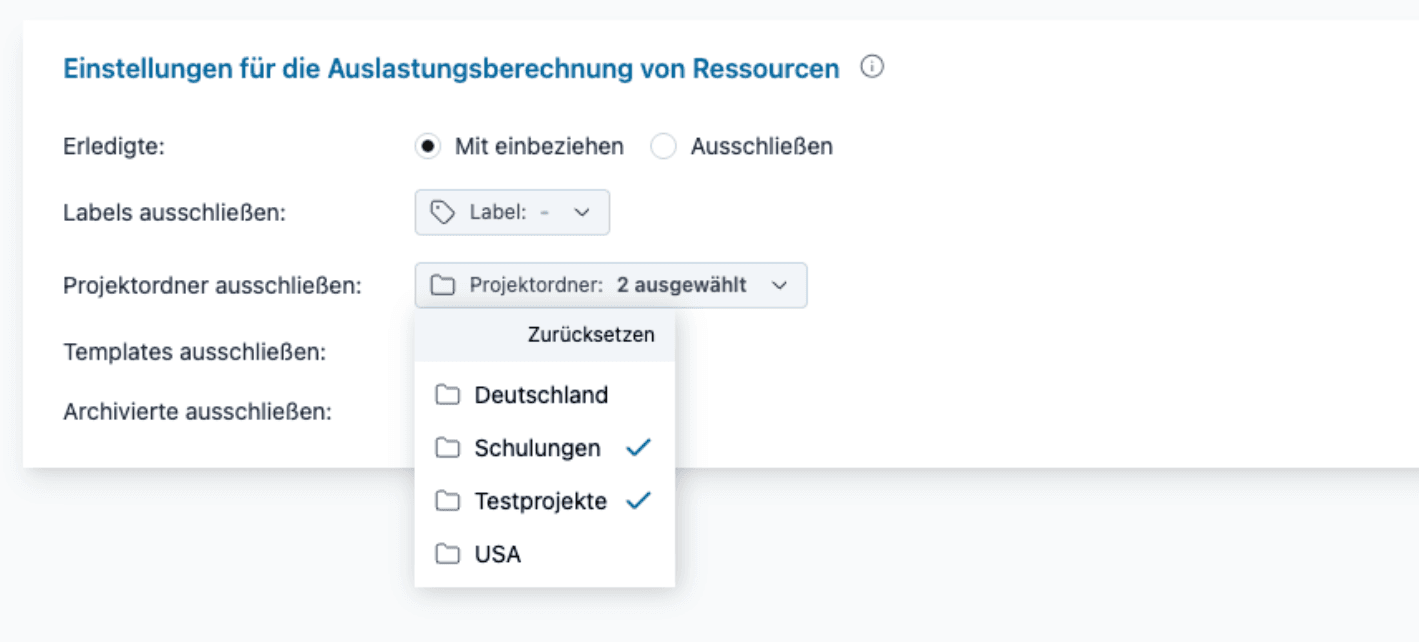
What's new
- Project folders and all projects contained therein can be excluded from the workload calculation in a central location.
- For example, the project folders Training and Test Projects.
How it works
- The central settings are made in Settings, then More, and then Workload Calculation.
Include or exclude completed work packages
What's new
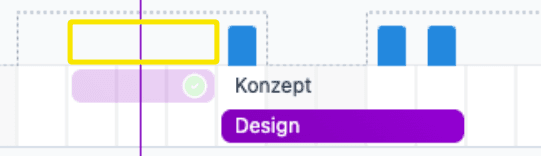
- You can now control whether completed work packages are included in the utilization calculation.
- This is particularly useful if work packages are completed earlier than planned.
- The picture of the original planning remains consistent, and freed-up resources are immediately visible.
Further improvements and bug fixes
- When duplicating projects, subprojects, and work packages, you can now specify whether the data in the Reference Number field should also be copied.
- Labels can be removed by placing an “X” in the label.
- The switch between the structured tree table and the flat table has been moved to the Display menu to save space.
- The option to record time has been removed for personal tasks, as you cannot record time for personal tasks.
- In technician planning, absences due to illness are now displayed in red as missing resources.
- Problems uploading very large files to the board have been fixed.
- Copying bars in team planning was slow; this issue has been fixed.
- Absences due to vacation and illness are now displayed in the same gray color as weekends when planning users in the project.
- Tasks and material resources can be hidden in project planning.
Filters for board posts
What's new
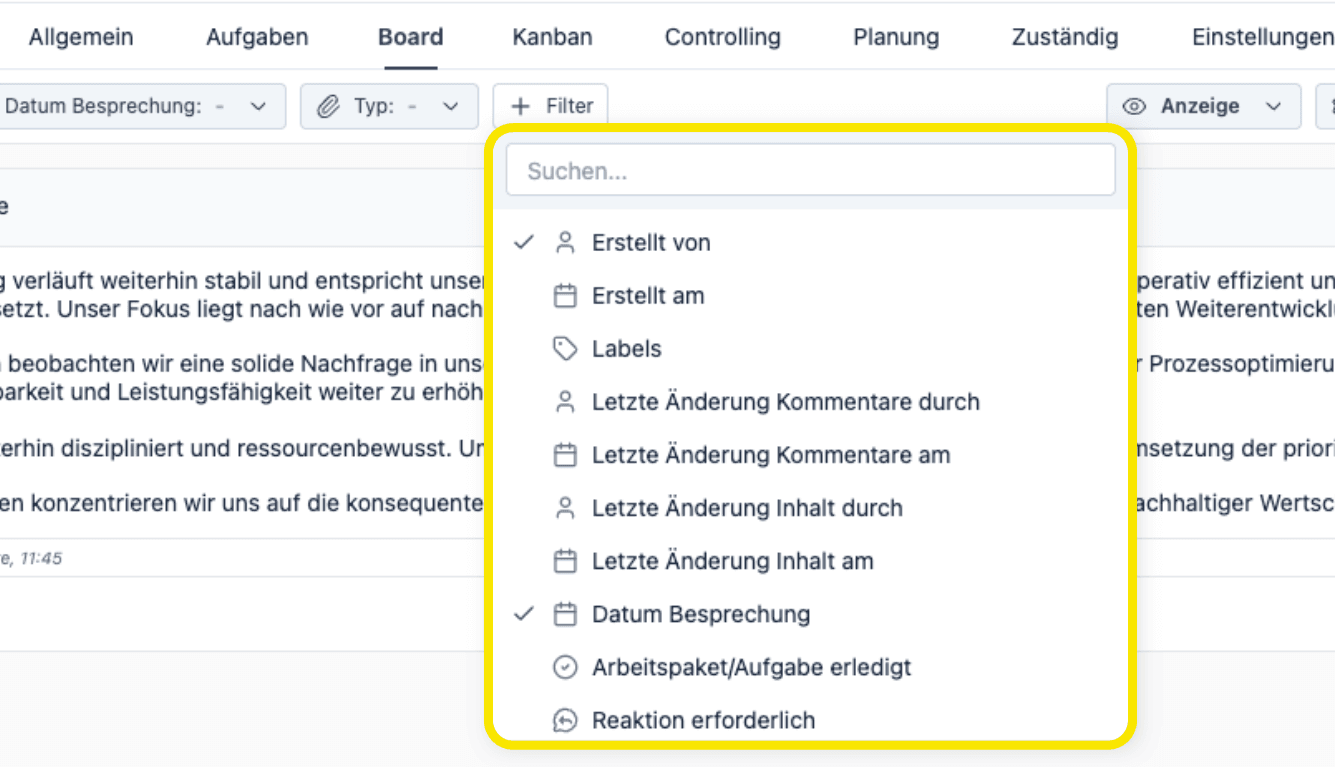
- There are 9 new filters for board posts.
- The filter Date last modified allows you to quickly get an overview after a vacation or business trip.
- Filtering by the label Consultation helps you focus on specific topics in status meetings.
- Space-saving layout thanks to dynamic display.
How it works
- Use the + Filter button to add filters.
Export entire board as PDF
What's new
- Ideally, customers (or stakeholders) are invited as guest users so that they can read and collaborate directly on the board.
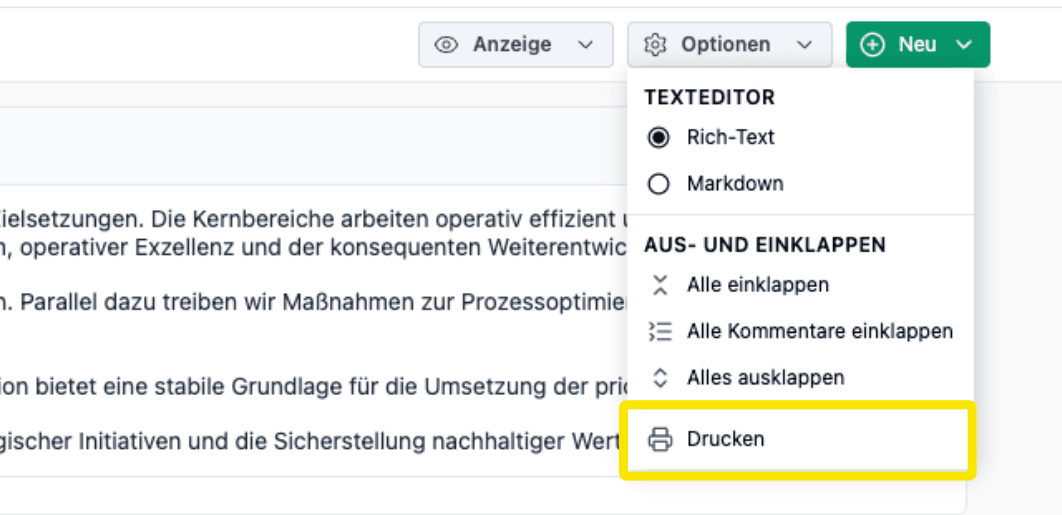
- Since some customers prefer email, it is now possible to export the entire board as a PDF.
- This can be done per work package, for a specific subproject, or for the entire project. Set filters and collapsing/expanding are taken into account.
How it works
- Menu Options in the board, menu item Print.
Structured view with collapsing and expanding
What's new
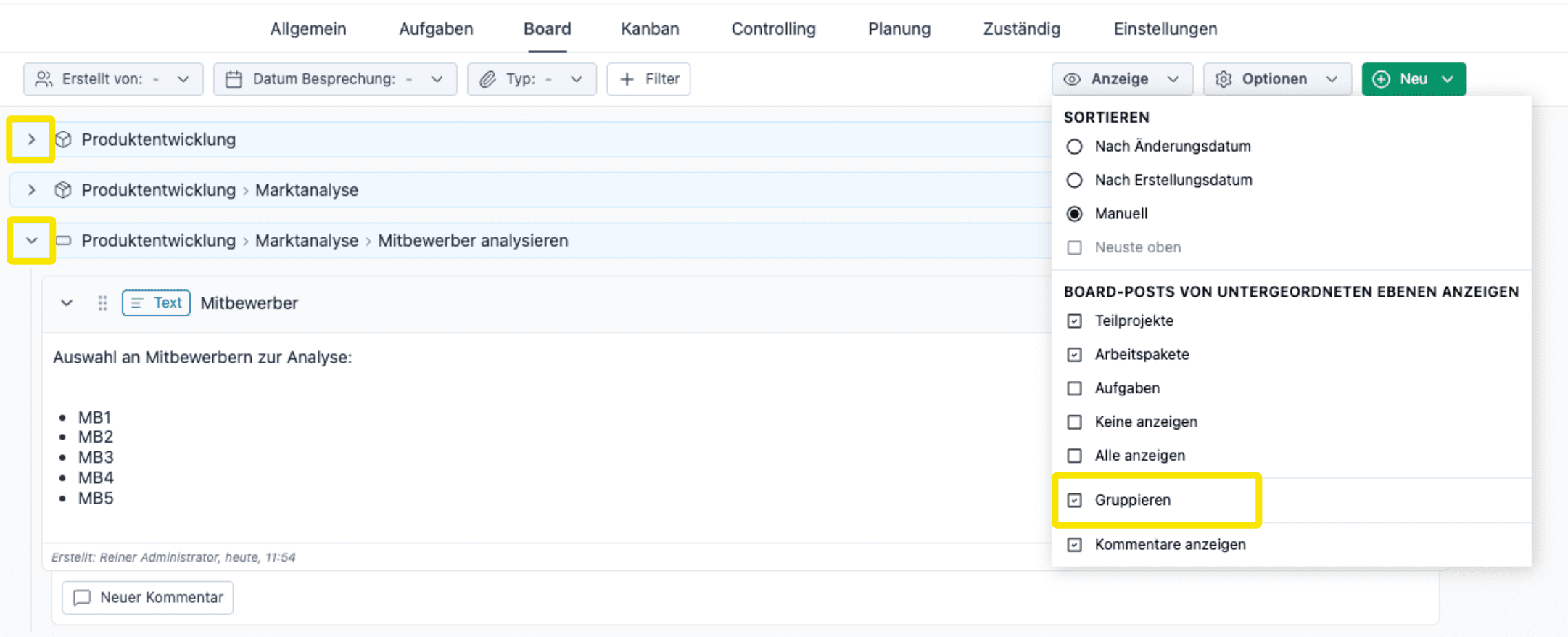
- When posts from subordinate levels are displayed in the board, they can now be expanded and collapsed.
- Grouping is done per subproject or work package.
- This increases clarity and reduces scrolling, especially for large projects.
How it works
- Activate the Group option in the Display menu.
- Use the arrows/angles to expand and collapse.
Duplicate board posts
What's new
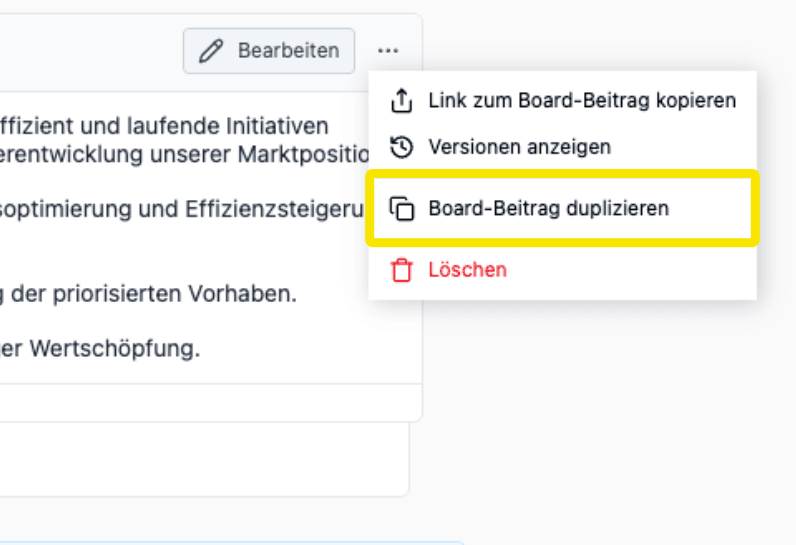
- Board posts can be duplicated with a single click.
- This is useful for ongoing meeting reports and concepts.
- This creates a transparent change history that is easy to track (and export).
How it works
- Context menu (3 dots) of the board post.
Manual sorting with drag & drop
What's new
- Board posts can now be sorted using drag & drop.
How it works
- Activate manual sorting in the Display menu.
- Drag the “handle areas” at the top left of the board post.
Further improvements
- If the board is still empty, a post is automatically created when it is opened so that you can start writing immediately.
- The type of board post can now also be changed retrospectively, not just when it is created. For example, you can change from Text to Meeting Report. If compatible, the header data (date, participants) will be retained.
- There is a new type of board post: Teams Meeting.
- The date of a meeting is no longer a free text field, but has a date picker. This allows you to filter by meeting date.
- Design improvements in the header area of board posts
- Revised page for controlling project time tracking. The design has been improved, there are new filters and a more compact view.
- New Excel export of the data on this page.
Advanced Project Controlling Feature Deep Dive
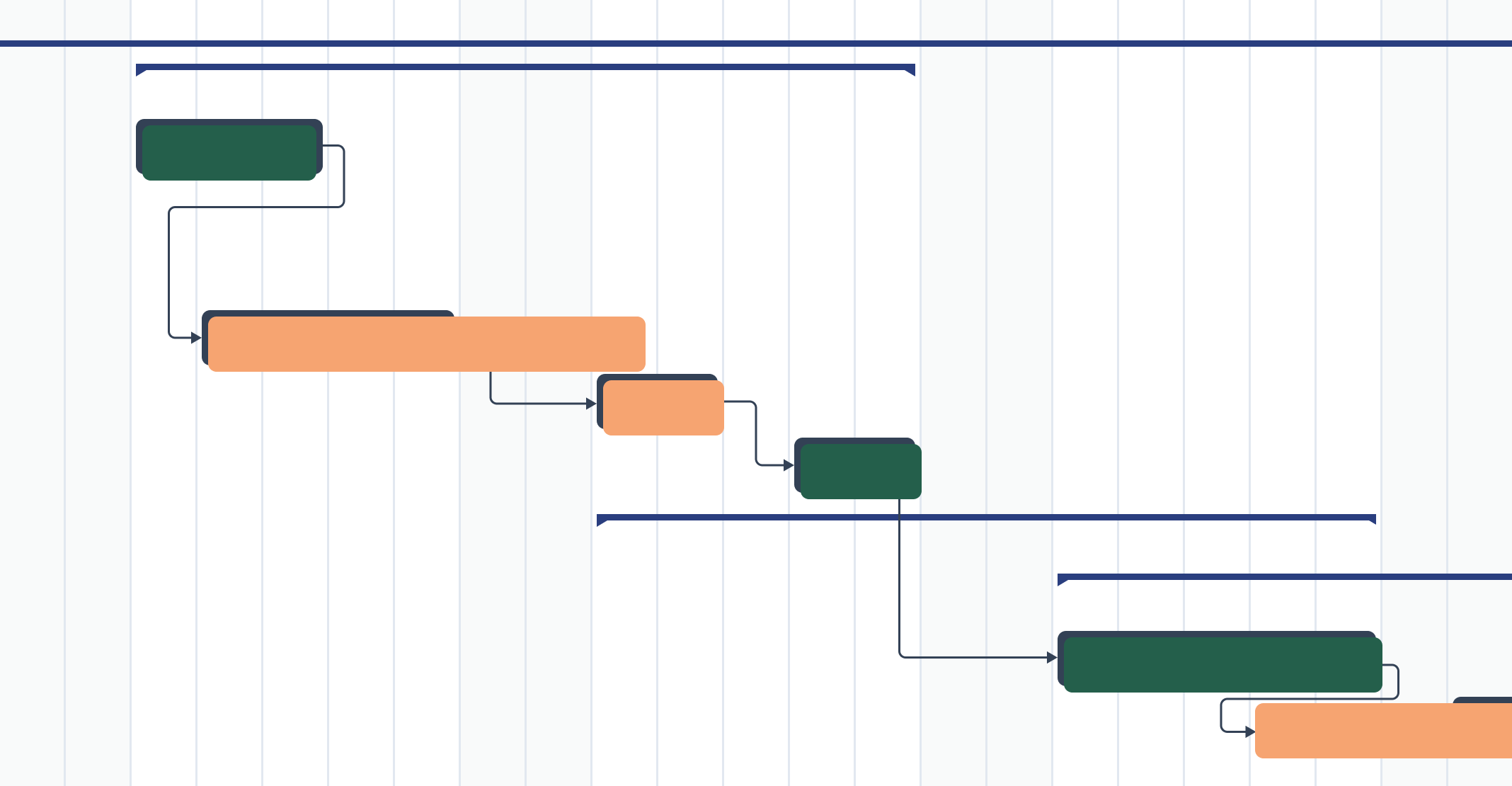
Project success is not achieved through planning alone, but also through effective project controlling that continuously highlights progress, costs, and risks.
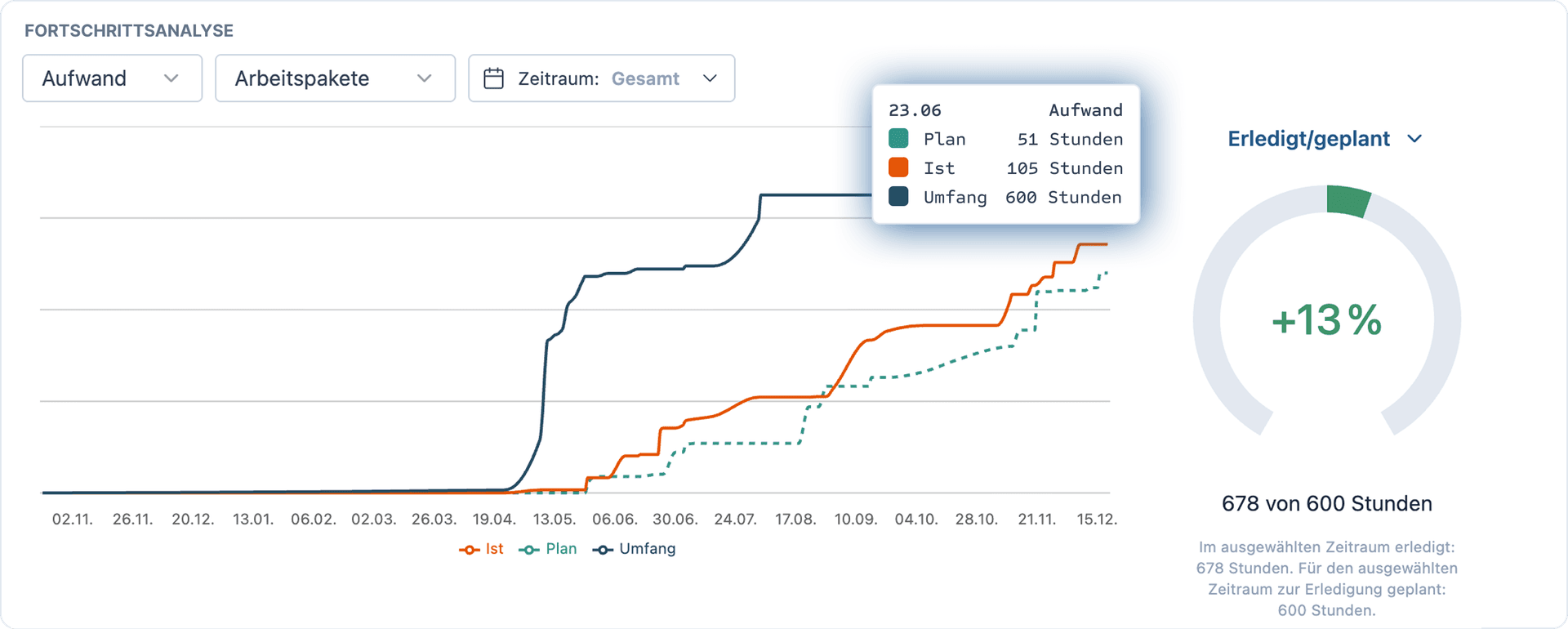
Detailed KPIs for project progress
-
Using burndown and earned value charts, project controlling compares planned and actual figures, thus creating transparent, uniform key figures.
-
On this basis, all project participants can make informed and objective decisions.
Deadlines and milestones
-
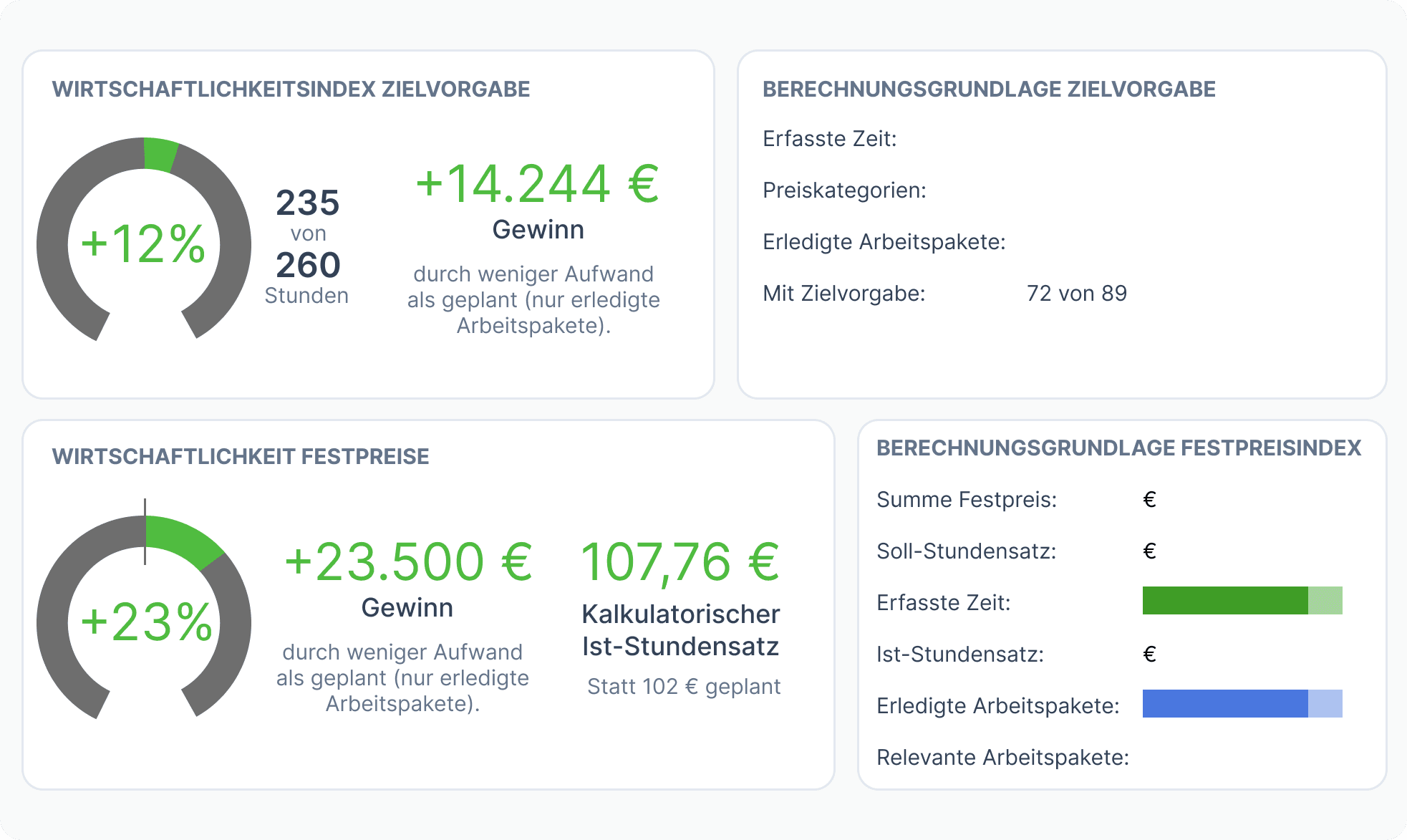
With the help of central scheduling dashboards and leading indicators, project controlling enables the early detection of schedule deviations.
-
This creates valuable response time to manage risks proactively rather than at the last minute.
Ensure economic efficiency
-
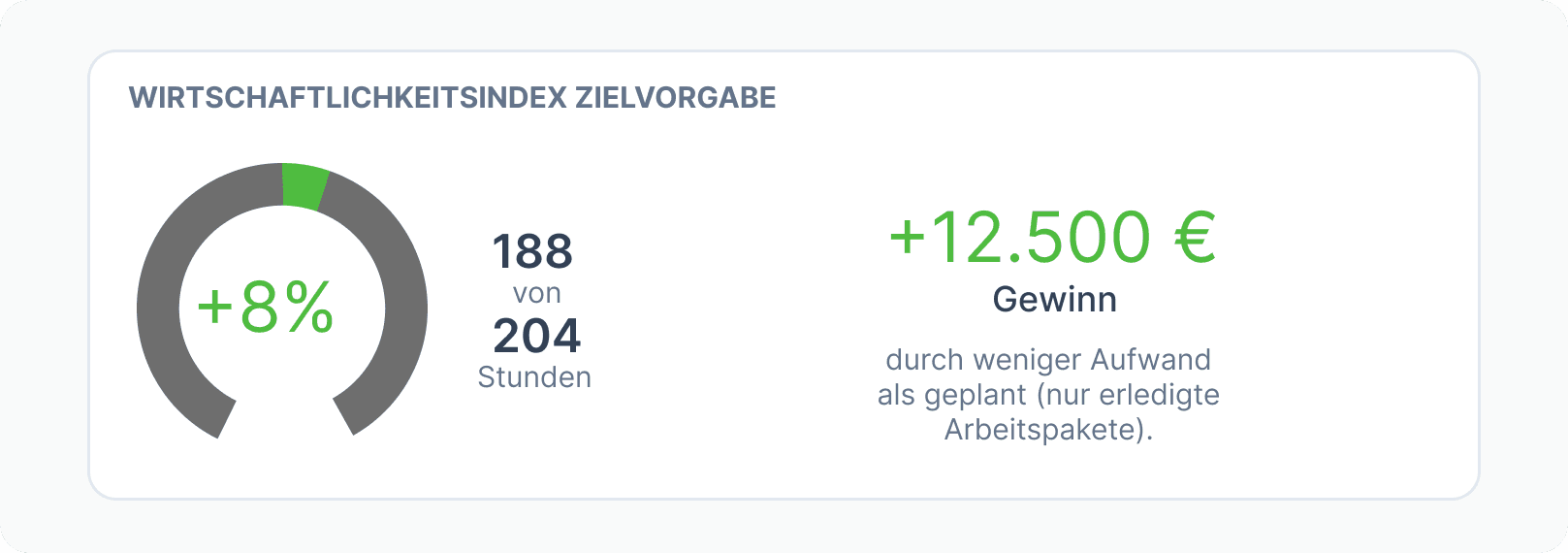
Project controlling enables targets to be met through portfolio-wide analyses at all levels.
-
Well-founded evaluations and profit calculations make the profitability and profits or losses of your projects transparent.
Improve future projects
-
Project controlling promotes continuous process improvement by comparing with previous projects.
-
It enables more realistic planning based on target/actual and baseline data, thereby increasing the success rate of future projects.
Export project plan as a PDF
What's new
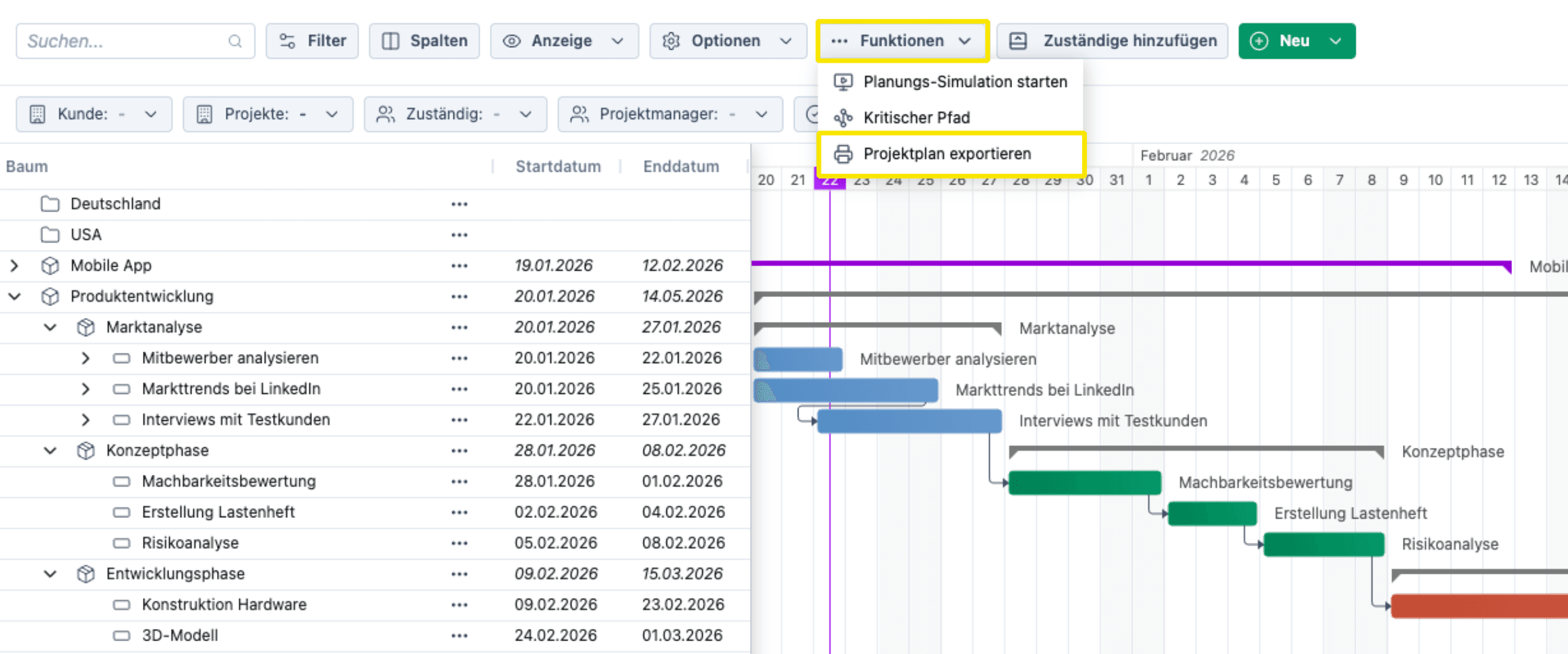
- Export the project plan as a PDF, as it's shown in Project Planning
- Works for one or multiple projects
- Adjustable time period and zoom level
- Suitable for sharing via email
How it works
- Functions menu in Project Planning
- Use the Projects filter to display and export only one project
- Supported by Chrome and Edge browsers
Bin with restore function
What's new
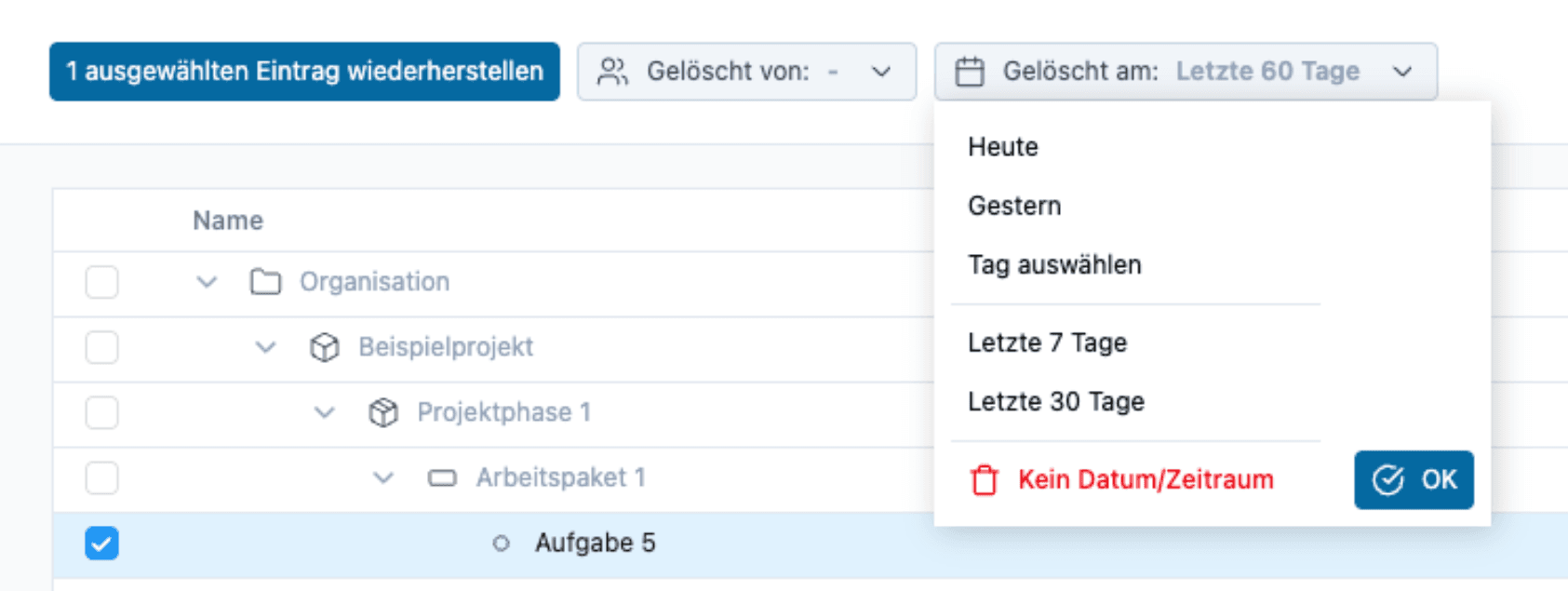
- Deleted data can now be found in one central location: the recycle bin.
- No longer scattered throughout the software.
- For everything from entire projects to individual board posts and time entries.
- Restoration is also possible centrally from there.
How it works
- Menu item Recycle Bin under Advanced.
New color palette for projects
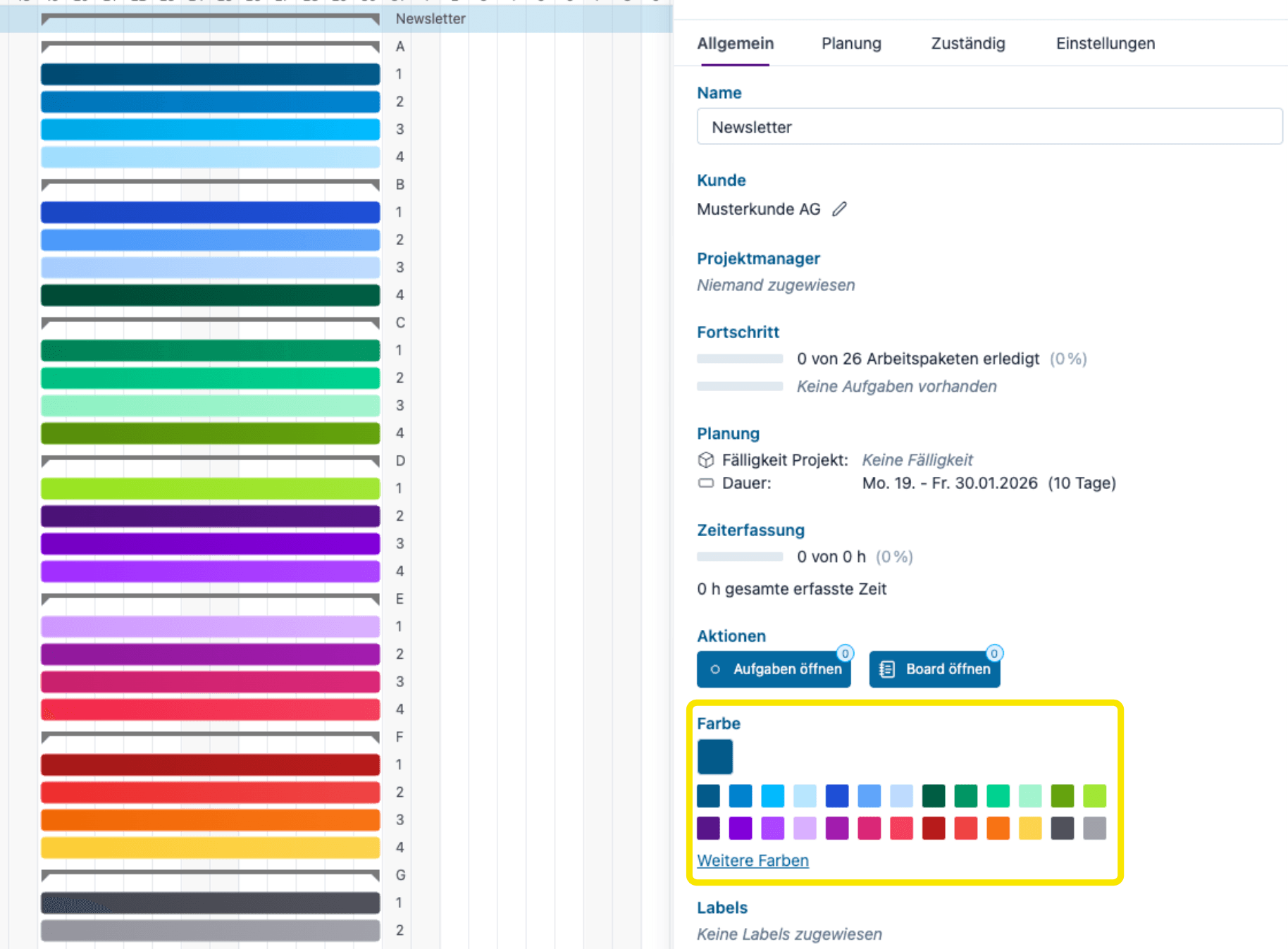
- The goal was a harmonious, fresh, and modern color palette.
- Colors that have already been set are retained.
How it works
- Assign colors to a project, subproject, etc. as usual in the settings.
- The default color palette has been updated.