Fundamentals of Resource Management
Resource management involves the planning, control, and allocation of resources. Flexible and forward-looking planning is important here, as availability can be affected by unforeseeable factors such as illness or vacation.
Resource management is a crucial component of project management, ensuring that projects are carried out efficiently and successfully. It involves the planning, control, and allocation of resources. Flexible and forward-looking planning is essential, as availability can be affected by unforeseeable factors such as illness or vacation.
What Are Resources?
Resource planning in Octaved Flow—referred to as “Team Planning” in the software—involves assigning personnel to work packages. Although the term “resources” can also refer to materials or spaces, Team Planning focuses exclusively on people.
Duration vs. Effort
Effort describes the estimated amount of work time required to complete a project or work package. It refers exclusively to the working hours required for this task. Duration, on the other hand, specifies the time period—in days, weeks, or months—over which these working hours are to be distributed.
The daily effort therefore changes when the duration of a project or work package changes. This is because the total effort remains the same while the duration changes. In this case, the effort is simply distributed differently across the days. If the duration is shorter, the effort per day increases, since the same total effort must be completed in a shorter period of time. If the duration is longer, the effort per day decreases, since the total effort can be spread over more days. There are either a few long bars or many short bars, but the sum of the bars always remains the same, since it corresponds to the effort.

(Left: Effort 16 hours, Duration 2 days; Middle: Effort 16 hours, Duration 5 days; Right: Effort 16 hours, Duration 8 days)
So if 16 hours of effort are planned for a duration of two days, it is assumed that eight hours per day will be spent on this work package. The daily effort is calculated using an even distribution.
Responsible
In team planning, a bar is displayed when an activity is planned as a work package and at least one person has been assigned responsibility for it.

Multiple Responsible Parties
If two people are responsible for a work package, the estimated duration is halved. A daily effort of eight hours is divided between the two people, so that each person has an effort of four hours.
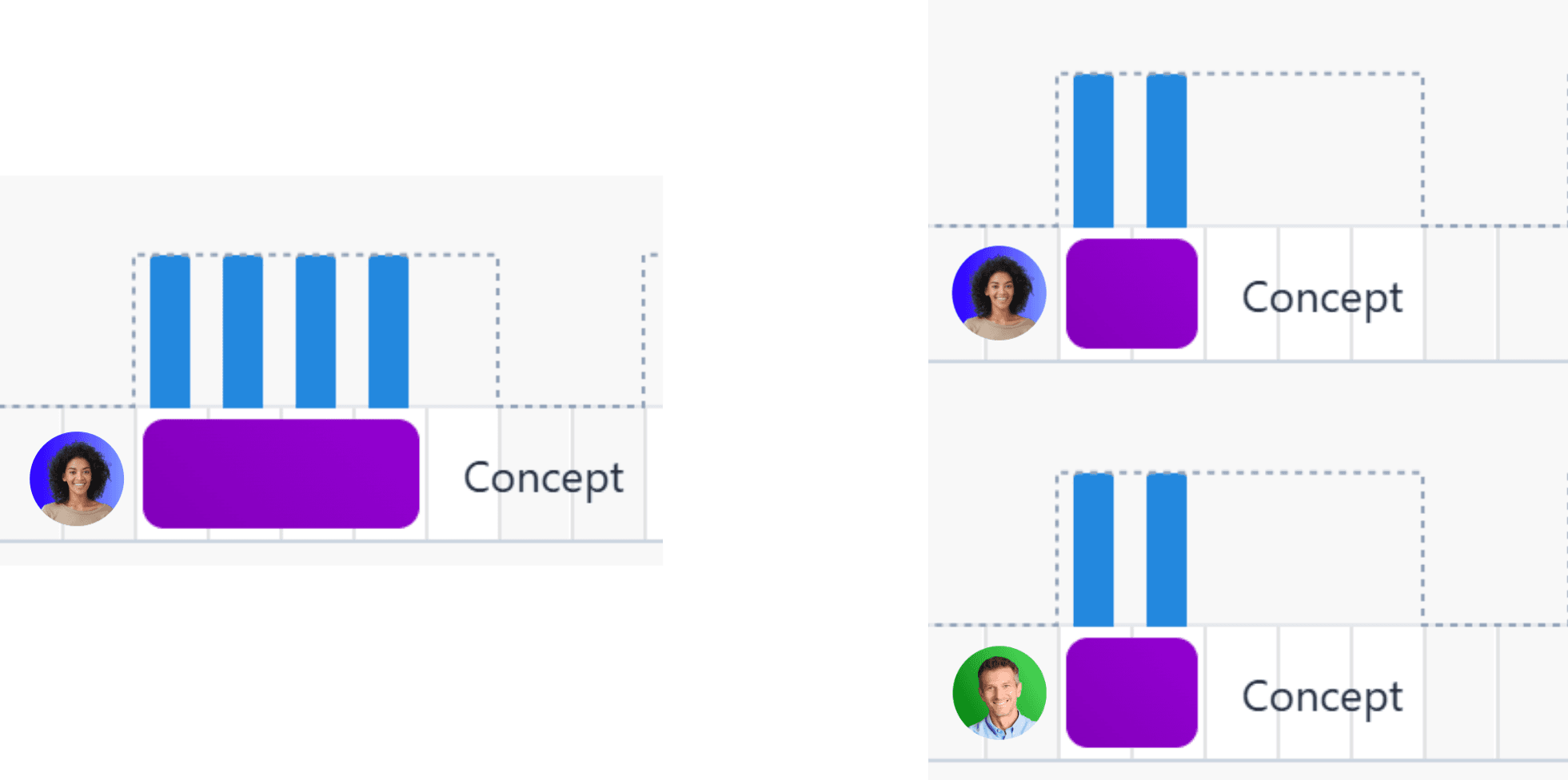
However, individual targets for the amount of work can also be set. For example, one of the responsible individuals could take on 6 hours and the other 2 hours. This allows for better consideration of the different roles within the same work package and enables even more realistic resource planning.

Resource Availability
The dotted line indicates the daily workload that a person is expected to handle. If the blue bar crosses the dotted line, the person is overloaded.
Project planning typically assumes an eight-hour workday. However, different work schedules and models are common today. Vacation time must also be taken into account to ensure that the plan is realistic.
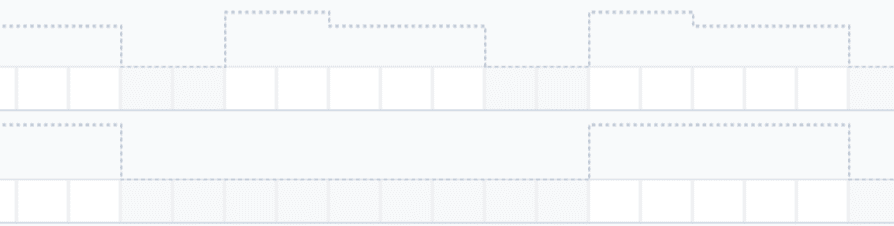
If a person works only six hours per day, the default setting for the dotted line is adjusted accordingly. The same applies to vacation: in that case, availability is set to 0 hours.
Clicking on a workload bar displays the associated work packages with detailed information: the person’s available hours, the hours already scheduled, and the hours still available. It also shows how the scheduled hours are distributed across the individual work packages.
Workload Bars
Resource planning helps ensure that resources are always utilized effectively so that project requirements can be met. This ensures that sufficient resources are always available to complete work packages on time and to a high standard. The goal is to avoid over- or under-utilization. Daily workload is visualized by a vertical bar: The larger the bar, the more hours are scheduled for that day.
Workload Distribution
Normally, the workload is distributed evenly across the scheduled days. A workload of 20 hours over four days therefore means that the daily workload is five hours.
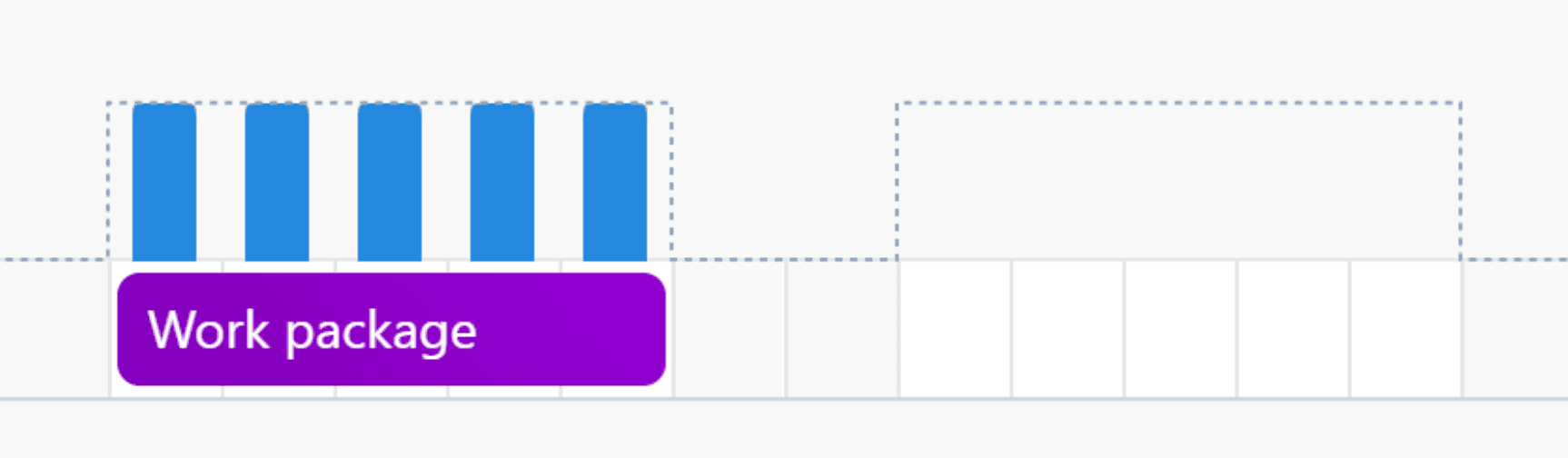
If tasks with different effort estimates are scheduled for a specific day within a work package, the individual effort estimates for the tasks are displayed instead of being distributed evenly. Thus, a task with an effort estimate of six hours on one day and a task with an effort estimate of four hours on another day within the same work package are not displayed as having the same effort estimate, but rather as having different effort estimates.
Planning Simultaneously
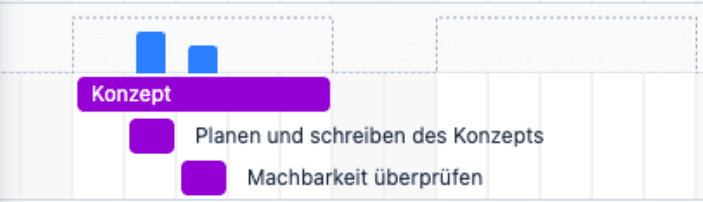
Work packages do not have to be scheduled sequentially, so that the daily effort is always limited to just one work package. Alternatively, work packages can also be scheduled simultaneously for a longer period. In this case, the daily effort is totaled. For example, if four work packages, each requiring two hours of daily effort, were scheduled for the same period, the person responsible would still incur eight hours of effort per day, but this effort would be spread over a longer period.
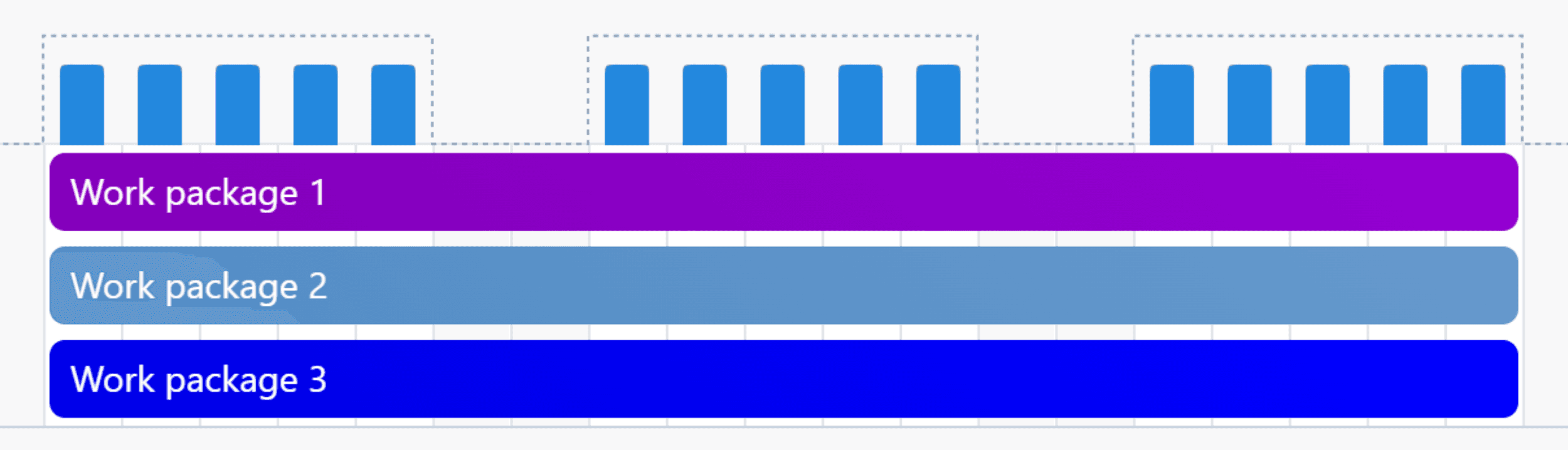
This allows for a better response to delays, such as follow-up questions, without having to adjust the entire project and resource plan. Instead, the person in charge can simply continue working on one of the other work packages until the question has been answered.
Overloads
If work is scheduled in parallel, overloads can easily occur. Work packages with an excessively high daily workload that are scheduled for the same time period add up, thereby exceeding the daily limit of eight hours. For example, if four work packages, each with a daily workload of four hours, are scheduled simultaneously, the person in charge would have an expected daily working time of 16 hours—twice as much as intended. With this resource plan, there would be an overload of eight hours every day.
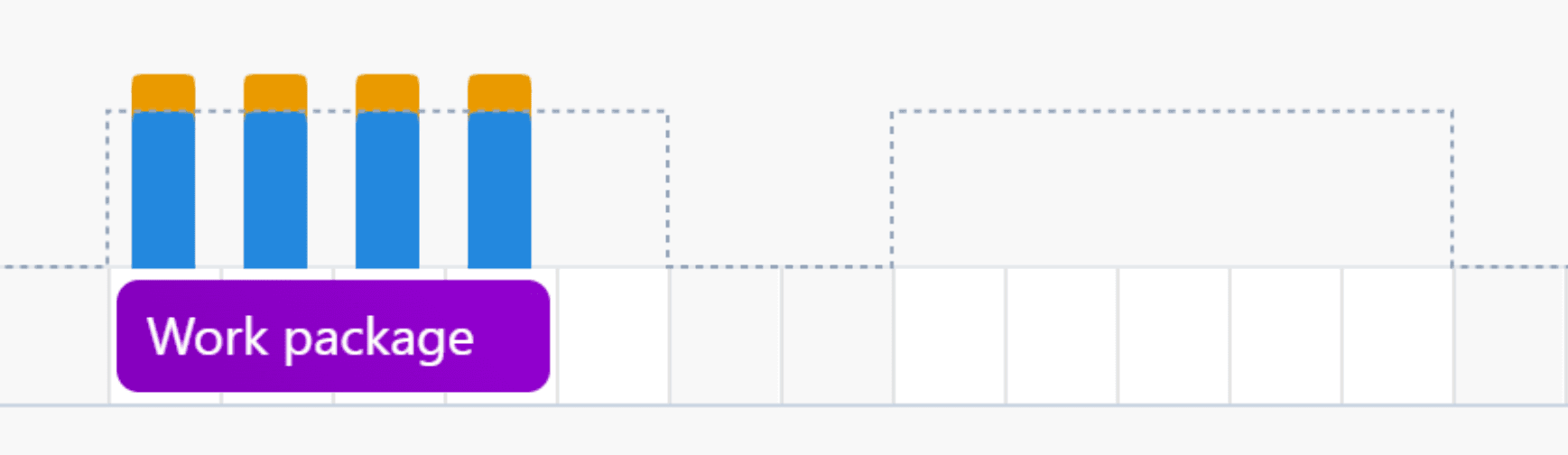
In Octaved Flow, overloads are displayed as an orange section extending beyond the dotted line of the workload bar.
Plan for Teams Instead of Individuals
When planning for the long term, it’s rarely worthwhile to assign responsibilities to specific individuals. As a rule, there are too many uncertainties this far in advance—especially regarding resource availability—to create a binding plan. For example, people may get sick, be on vacation, or leave the company.
In Octaved Flow, entire teams can be assigned responsibility instead. The work package is initially scheduled for all team members and can be assigned more precisely closer to the actual start date.
→ Learn more about team planning here [Link to follow]
Views in Resource Planning
To view only specific individuals or teams in resource planning, you can select the relevant users under Users. This makes it easier and clearer to manage the capacities of individual employees.
Drag and Drop
If the time frame in which a work package is to be completed changes, this can be easily adjusted using drag-and-drop. At the same time, work packages can also be moved between resources—for example, if someone gets sick and another employee has to take over the work package. You can switch between horizontal and vertical drag-and-drop using the corresponding button with arrows in the menu bar.
Resource Planning in the Planning Simulation
Just as in project planning, the planning simulation allows you to test various resource planning scenarios. As long as the resource plan remains in the planning simulation, changes do not affect the actual plan, and employees will not see any deviations from the actual resource plan. If one of the plans from the planning simulation is to be used as an actual plan, it can be published with a single click and will replace the outdated plan. Changes to the resource plan are automatically and simultaneously reflected in the project plan, ensuring that both plans are always in sync.
→ Learn more about planning simulation in resource planning here [Link to follow]